

A chatbot form collects a visitor's details inside a chat window instead of on a page of empty boxes. There are two kinds: a form dressed up as a chat that asks its questions one at a time, and an AI agent that answers the visitor's question first and asks for a name and email only when they want you to follow up. On most small-business contact pages the second kind beats a plain contact form; the form still does three jobs better, and for most small businesses the best setup runs both.
Ultimo Bots is an AI support agent that can sit on your contact page or in the corner of every page: it answers visitors from your own content first, then takes their name and email, confirms them back, alerts you at once and saves the lead with the whole conversation, and the same agent works on a chat link, Messenger, Instagram, Telegram and Slack, with Zapier, Make or n8n for the rest.
One detail matters on a contact page in particular. In the website widget and on the chat link, every visitor sees "You are chatting with an AI assistant" before the first message, in one of eight languages matched to their browser, and you cannot switch that notice off. Nobody leaves their email thinking they were typing to a person.
Let an AI agent take your inquiries
What a chatbot form is, and the two kinds you will find
The same name covers two very different products.
A form that looks like a chat. Many form builders and Google Form add-ons sell conversational forms: the fields you already had, asked one by one in speech bubbles. Most conversational form examples you will find are this kind. The pacing is friendlier, but the questions are still yours, in your order, and a visitor who types "do you work on weekends?" gets the next field, not an answer.
An AI agent that answers first. The visitor asks whatever brought them to your contact page. The agent answers from your website and documents, and only when the visitor wants a quote, a callback or a reply from a person does it ask for their name and email. The details reach you together with the conversation that led to them. Some form builders now sell this kind as well.
Inside chat tools, "chat form" can mean a third thing: the short pre-chat form some widgets show before the chat opens. It has its uses, covered in the setup steps below.
The rest of this guide is about the second kind, because that is the one that changes what a contact page can do.
Chatbot form vs contact form: what changes for the visitor
A classic contact form for website visitors is a promise: leave your details and we will answer later. That works when the visitor already knows what they want. It fails the visitor who has one question first, such as "do you cover my area?" or "is this under $500?", and will not hand over an email address to find out.
| Contact form | Chat-style form | AI agent that answers first | |
|---|---|---|---|
| Can the visitor ask a question first? | Only in the message box, then wait | No, it asks its own questions in order | Yes, and gets the answer from your content |
| A visitor at 9 pm | The message waits until morning | The message waits until morning | Gets the answer now; the inquiry waits for you |
| Fields the visitor faces | All of them, up front | All of them, one at a time | Only the ones you need, once they want a reply |
| What you receive | The fields and one message | The fields | The fields plus the whole conversation |
| How you hear about it | An email from your form tool, if you set one up | An email from your form tool, if you set one up | An alert in the portal and by email at once, plus Slack or Telegram if you add them |
| Photos, files, signatures | Yes, if your form tool supports them | Depends on the tool | Text only; the agent shares the link to your upload form |
Most chatbot vs contact form debates argue about completion rates. For a small business the first two rows matter more: a visitor who gets an answer at 9 pm is still interested at 9 am, and you know exactly what they asked before you write back. The honest summary of chatbots vs forms is that a form is good at collecting what you already know you need, and an agent is good at the conversation that comes before it.
Keep the form for these three jobs, give the agent the rest
There is a fair counter-argument: if a task really is a form, it should stay a form. Three jobs still belong on one.
- Uploads. Photos of a leaking roof for a quote, a résumé, floor plans. Visitors type in the chat rather than attach files, so keep your upload form and let the agent send its link. Tell the AI Studio to add a behavior with your real link, for example: "When someone wants to send photos or files, share our upload page: yoursite.com/upload."
- Long applications. A job application, a rental application or a new-patient intake with twenty fields is a document, not a conversation. Keep it as a web form, and let the agent answer questions about it and link to it.
- Signatures and legal checkboxes. Anything that needs a signature, a specific consent box or fixed legal wording stays on a form built for that.
Everything else that reaches a contact page, "how much is...", "do you do...", "can someone call me about...", is a question first and a lead second. That is the job the agent takes, and the form can stay further down the page for the three jobs above.
Which details to ask for, and when
A good chatbot form asks after it answers. A visitor who has just had their question answered has a reason to leave their details; a visitor facing empty fields at the top of the page has only your promise.
Every new Ultimo Bots agent starts with a lead skill that asks for name and email, reads them back for confirmation and then passes the inquiry on. If you need more, describe it in the AI Studio in plain words, for example "Also ask for a phone number and the project's zip code." Phone, company, budget, address or anything else becomes an extra field of that skill. Fields are free text the visitor types, so ask for things a person can answer in a few words.
Two habits keep the chat short:
- Ask for the minimum on a first inquiry. Name and email are enough to reply. Every extra required field is one more question before the visitor gets what they came for.
- Let the agent ask only when it is needed. A visitor who wanted your opening hours should leave with the answer, not with a request for their email.
The agent does not fill in guesses either: an email address or phone number is only accepted if the visitor actually typed it in the chat.
Here is what that looks like on the contact page of a small kitchen remodeler. The person typing is a visitor:
Visitor: Do you remodel kitchens in Pasadena? And roughly what does a small kitchen cost?
AI: Yes, Pasadena is in our service area. Small kitchen remodels start at $9,500 including installation, and you get a fixed price after a free home visit.
Visitor: OK. Can someone get back to me to arrange the visit?
AI: Of course. What is your name, and which email should the team reply to?
Visitor: Maria Chen, maria.chen@example.com
AI: Thanks, Maria. Just to check: Maria Chen, maria.chen@example.com. Is that right?
Visitor: Yes
AI: Done. Your request for a home visit has been sent to the team, and they will reply to maria.chen@example.com.
Four replies: an answer the contact form could never have given, one question, one read-back and a confirmation. The owner gets the lead with the price question attached and knows what Maria already heard.
The privacy notice comes with the details
A chat that asks for an email is a point of collection, just like a form. Under the California Consumer Privacy Act, a business that controls the collection of a consumer's personal information must, at or before the point of collection, inform consumers of the categories of personal information it collects, the purposes, whether it is sold or shared, and how long it is kept (Civil Code section 1798.100(a), in the text effective January 1, 2025). The Act only covers a "business" as it defines one: a for-profit company doing business in California with annual gross revenue above $26,625,000 (the CPI-adjusted threshold in force since January 1, 2025), or one that buys, sells or shares the personal information of 100,000 or more consumers or households a year, or earns half or more of its revenue from selling or sharing it. Most small businesses sit below those lines, and the practical advice holds either way: link your privacy policy next to the chat on your contact page, exactly where it sat next to the form, and ask only for what you need. As of October 2026; practical guidance, not legal advice.
How do I create a chatbot form?
You do not build a form; you give the agent your answers and decide what happens to the details. Five steps:
- Give it your answers. Add your website, PDF and Word files, Q&A pairs, or documents from Google Drive, OneDrive and Notion to the knowledge base. The questions people used to type into your message box now get answered on the spot.
- Keep the lead skill and add your fields. Every new agent has one. In the AI Studio, tell it what else to ask for.
- Choose where alerts go. New leads show up in the portal and by email by default; add Slack or Telegram under Notifications if your team lives there.
- Decide on a pre-chat form. In the portal under Design, Enforce User Details turns on a short form before the widget's chat opens, with the fields you pick. The details land in Leads straight away with the same alert, even if the visitor never sends a message, and the agent sees them. It belongs to the floating widget; a chat placed inside a page opens straight into the conversation. Most contact pages do better without it, because it puts the fields back in front of the question, but it suits a business that only wants to talk to people who say who they are first.
- Test it as a visitor. Open the chat on your site, ask a question your website answers, then ask to be contacted. Check that the agent reads your details back, and that the lead and the alert arrive.
Can ChatGPT create forms?
ChatGPT can draft the questions, field labels and thank-you text for a form, and some form builders now generate a whole form from a sentence. Neither puts anything on your site that can answer a visitor.
If what you want is a form to chatbot conversion, Google Form add-ons and form builders can present an existing form as a chat-style flow, and some can also answer common questions from FAQs you add.
If you searched for an AI contact form because visitors ask questions before they get in touch, you want the third option: an agent on your contact page that answers from your own content, takes the inquiry when the visitor is ready and hands you both. That is the job Ultimo Bots does, next to whatever form you keep.
Put the chat on your contact page, not just in the corner
The floating widget waits in the corner of every page. On the contact page you can do better and place the chat inside the page itself, where the form used to be or right above it, so the first thing a visitor sees is a place to ask. In the portal, open Channels, choose Website iframe, copy the code and paste it into an embed block on your contact page. It shows your chat link, the full-page chat, inside the page, with the same agent and the same AI notice, and the website widget keeps its place in the corner of every page.
| Your site | How the agent goes on |
|---|---|
| Wix | Add the Ultimo Bots app from the Wix App Market; no code |
| WordPress | Install the Ultimo Bots plugin from WordPress.org |
| Webflow | Install the Ultimo Bots app for Webflow |
| Most other sites | Paste the three-line snippet once; for the chat inside your contact page, paste the iframe code there (GoDaddy and Google Sites take the iframe code page by page) |
Where each inquiry goes after the chat
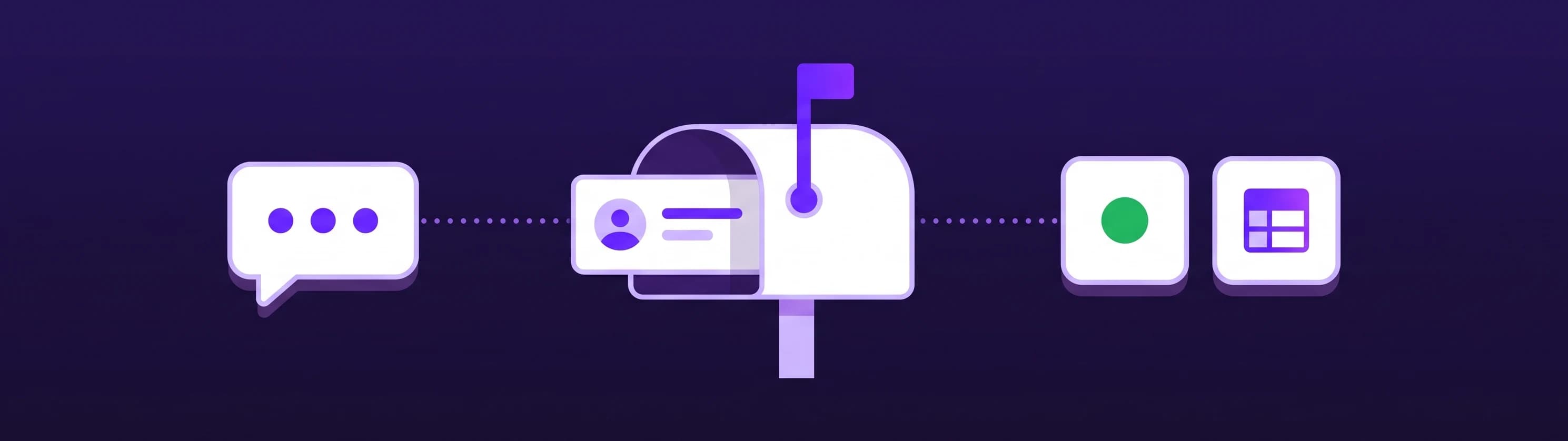
A contact form sends you an email and stops there. A chat can do the follow-up work in the same conversation.
Every inquiry lands in Leads with the full conversation. You can export the list to Excel: one row per lead with the date, name, email and phone, then your own fields and the full conversation.
| What should happen next | What the agent does in the same chat |
|---|---|
| Your CRM | A skill saves the visitor as a HubSpot contact, or as a contact in your Wix CRM on Wix sites |
| Your newsletter | A skill adds them to a Mailchimp audience; Mailchimp first emails them to confirm (double opt-in) |
| Any other tool | Sends the details to Zapier, which only receives; Make and n8n can also send an answer back into the chat |
| An appointment instead of a callback | Books in Cal.com, sends a Calendly booking link, or hands over your Wix Bookings page with the day already selected |
Each of these is a skill you describe in plain words; Smart includes 3, Boost 10 and Ultimo 30, and every connection is listed under app actions. And when you switch yourself online in the portal, a visitor who would rather talk to a person can ask for one, and you join the same window with the conversation in front of you.
What it costs next to a form tool
Form tools usually price by forms, monthly submissions or responses, and users: Jotform's plans set limits on forms, monthly submissions and form views, and each Typeform plan includes a set number of responses per month (both checked on their pricing pages on October 4, 2026). Ultimo Bots prices its agent by AI replies instead, and publishes its prices, per agent, with no seat fees:
| Plan | Monthly | Billed yearly | AI responses per month | Skills |
|---|---|---|---|---|
| Smart | $29 | $19 per month | 500 | 3 |
| Boost | $59 | $39 per month | 2,000 | 10 |
| Ultimo | $149 | $99 per month | 10,000 | 30 |
Only the agent's replies count; the kitchen chat above used four. Every plan includes all channels, app actions, the lead skill and live chat. You get a warning at 80% of your allowance and can top up message credits in a busy month. Every new agent starts on a small one-time free allowance, every paid plan starts with a 7-day free trial, and a free 15-minute integration call is there on any plan if you want help connecting HubSpot or Mailchimp. Details on the pricing page.
Your contact page, before and after
| Before | After | |
|---|---|---|
| Headline | "Contact us" | "Ask us anything, or leave your details" |
| Fields | Name, email, phone, subject and message, all required | Name and email, asked once the visitor wants a reply |
| The promise | "We reply within 24 hours" | The answer now, a reply from you later |
| Where the inquiry lands | Your inbox, as one message | Leads, with an alert at once and the whole conversation |
| Uploads and applications | Squeezed into the same form | Their own form, linked by the agent |
| The privacy line | Under the form | Next to the chat, unchanged |
A chatbot form earns its place on your contact page when it answers before it asks. Start with the questions your contact form gets every week. If the agent answers them from your content and still hands you each inquiry with a name, an email and the conversation behind it, keep the form for uploads and paperwork and let the chat take the rest.