Plain words
Say it like you would say it to a person
One sentence is enough. No forms, no settings. The Studio turns what you write into a skill your agent follows.

Type what your support should do, in plain words. AI Studio turns it into skills your agent follows in every conversation. No code. No flowcharts.
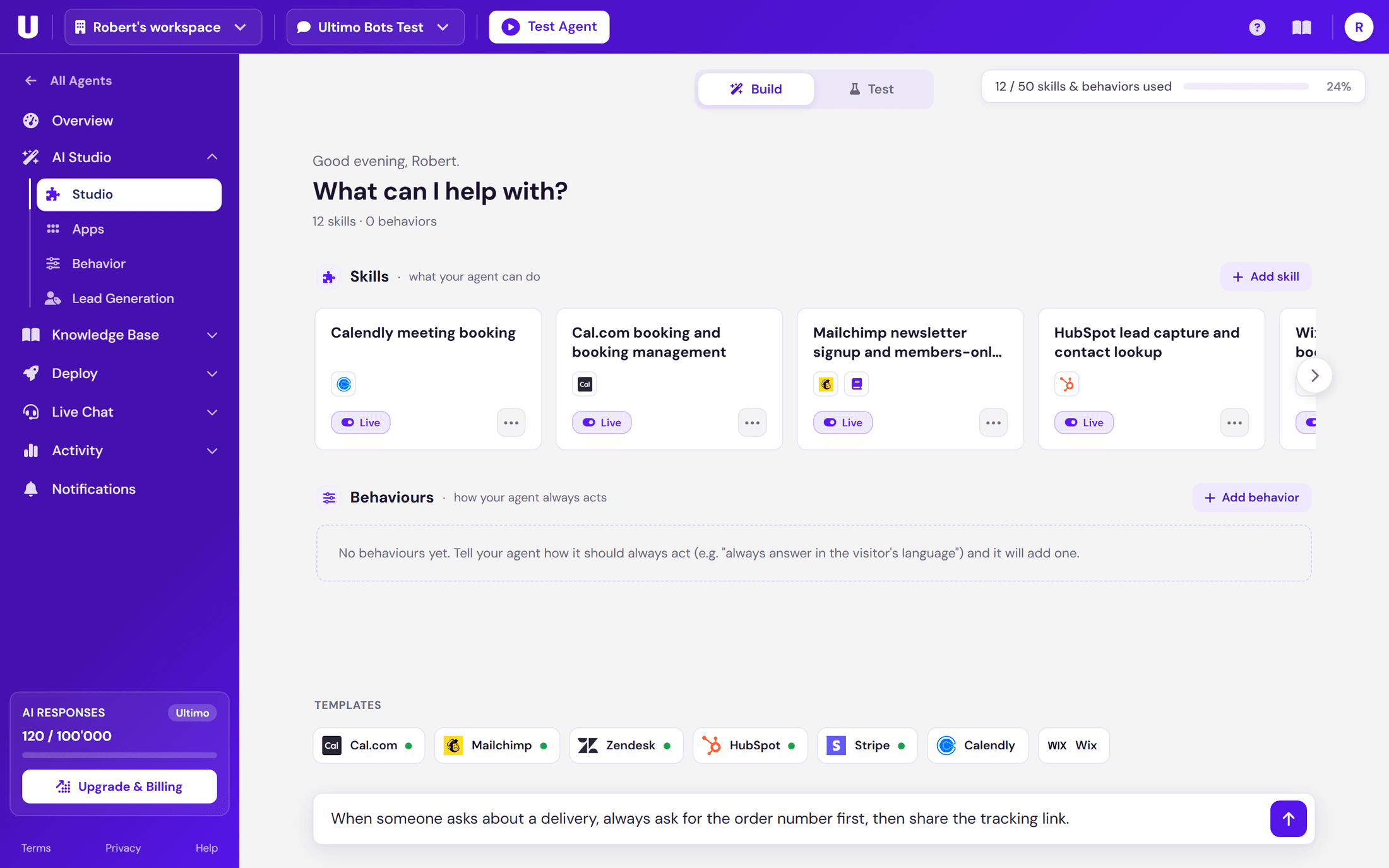
Brief the builder like a new team member. It does the technical part while you talk.
One sentence is enough. No forms, no settings. The Studio turns what you write into a skill your agent follows.
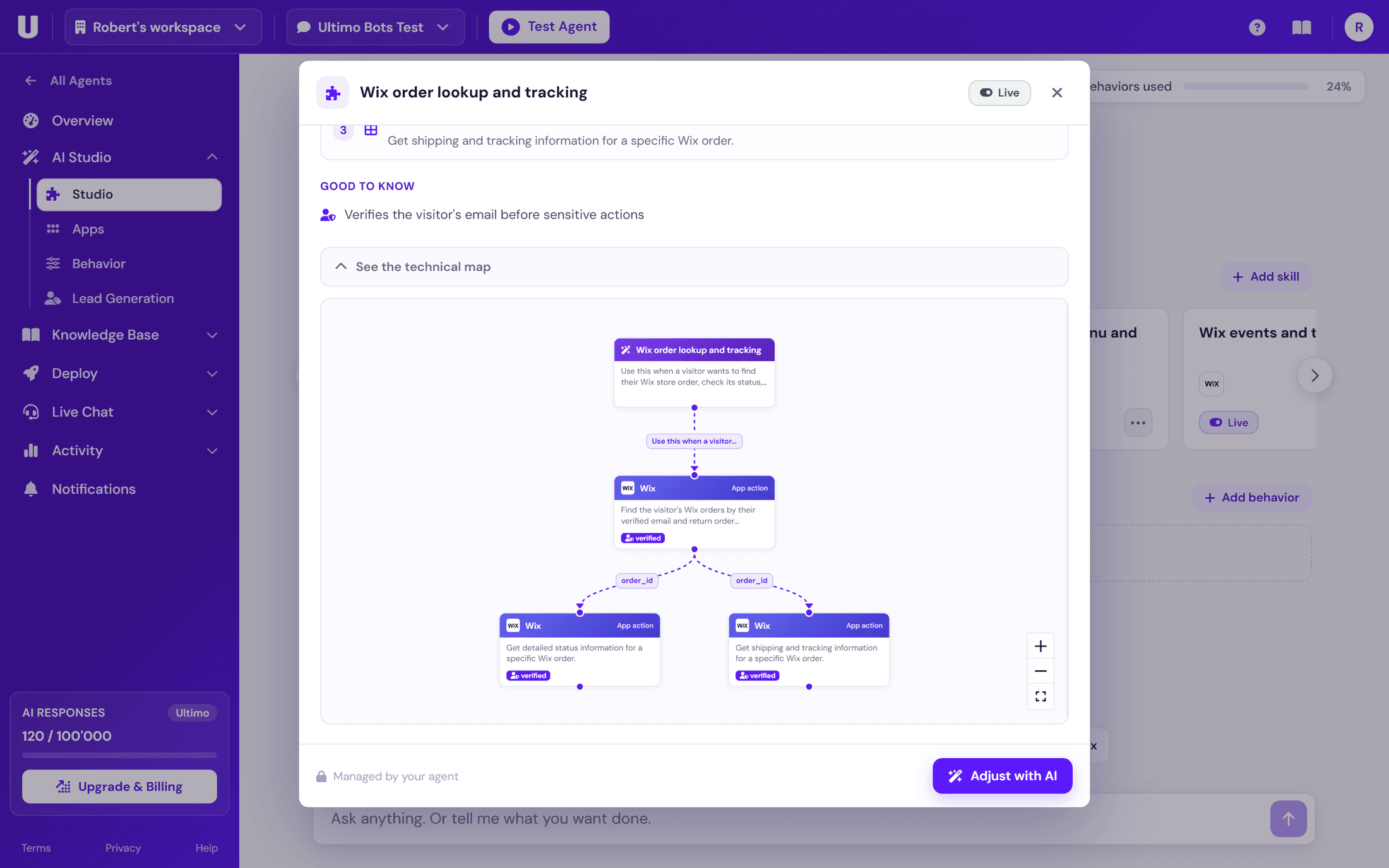
The builder creates the skill while you chat and keeps a live map of everything it built. You always see exactly what your agent will do.
Something feels off? Tell the builder in one message. No settings to dig through, no editor to learn.
Behind every skill sits a real map: the steps, the connected apps, and the data they hand to each other. You never have to draw it. You can always open it.
Three ways the platform makes sure your agent behaves the way you would.
Write the rule once. Your agent stays friendly, offers an alternative, and does not budge. Even when visitors push.
For prices, codes and links, the agent reads from your lookup table and answers with your exact values. If there is no match, it says so instead of guessing.
When one step must happen before another, the platform enforces the sequence. The agent cannot skip ahead, no matter how the conversation twists.
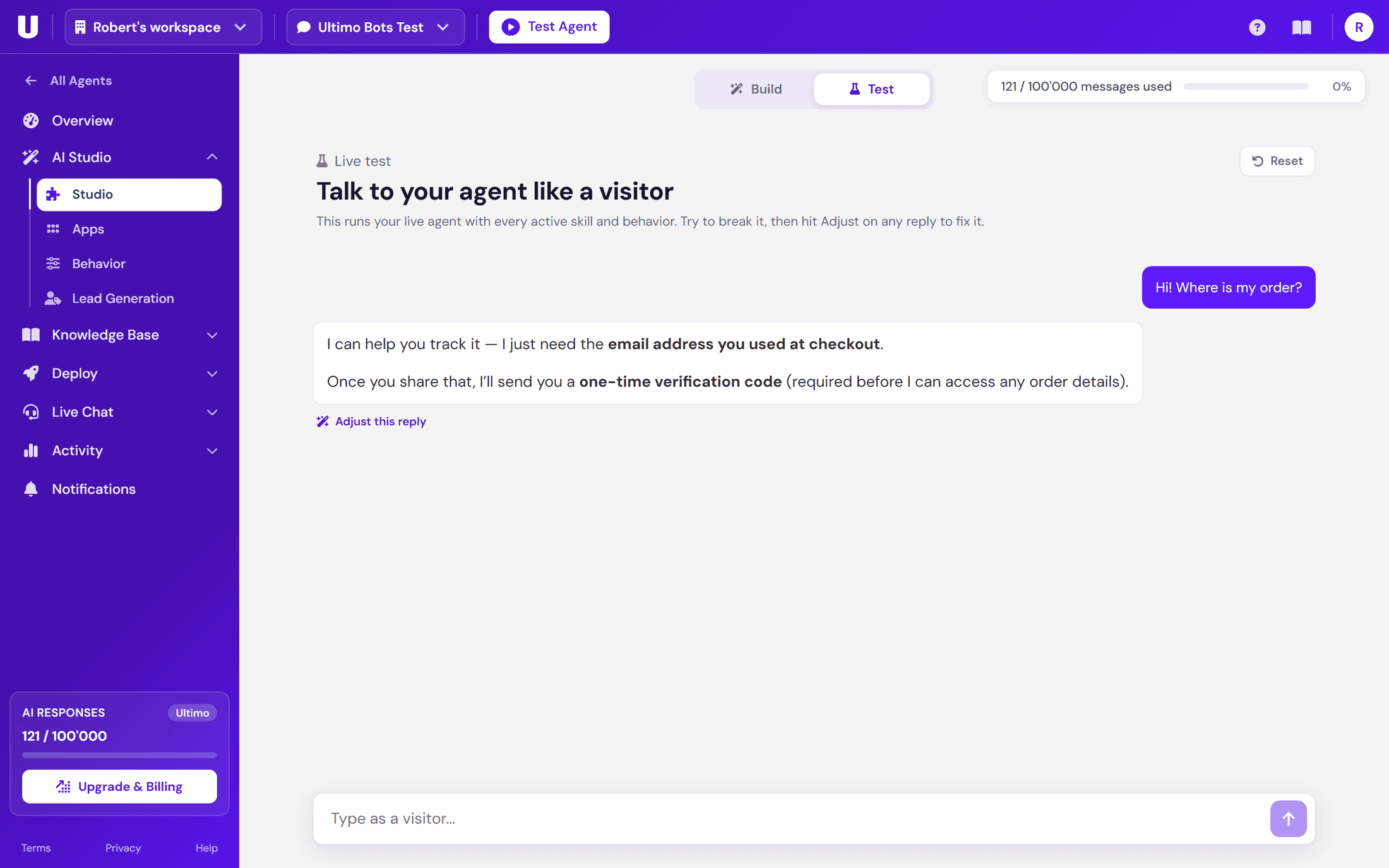
Test mode runs your real agent with every active skill and rule. Talk to it exactly like a visitor would.
A skill can look things up, notify your team, call your systems and act in your tools. All built by describing it.
Skills can search the content you trained your agent on, down to the exact wording. Explore the knowledge base
A skill can email you or your team mid-conversation, with the details it already collected from the visitor.
Reach your own systems over authenticated REST calls. Credentials are stored encrypted and injected at call time, never pasted into the skill.
Book meetings, manage subscriptions, save contacts and more. See all app actions
Connect an app once and your agent books appointments, tracks orders, manages subscriptions and saves contacts, right in the conversation. Ready-made skill templates cover Wix, Calendly, Cal.com, Stripe, HubSpot, Mailchimp and WooCommerce, or you describe your own skill to Mo.
Actions are powerful, so trust comes built in. Before your agent reads anyone's orders, bookings or subscriptions, the visitor proves who they are.
 Invoices fetched3 invoices · from Stripe
Used worldwide for fast, friendly support on any website.
GDPR-aligned and never used to train third-party models.
Built and hosted with European privacy standards. Your visitors’ data is handled accordingly.
Only your assistant can read it. It’s never used to train third-party models.
Industry-standard encryption protects everything you upload and every conversation.
AI Studio is the place in the Ultimo Bots portal where you build your AI support agent by typing. You describe how your support should work in plain words, and a builder agent turns your instructions into skills: rules, lookup tables, knowledge searches, emails, API calls and connected app actions your agent uses in real conversations.
No. There is no code and no drag-and-drop editor. You instruct the builder agent in chat, and it creates and updates the skills for you. A read-only map updates live so you can always see what was built.
Rules you state in the Studio, like "Always ask for the order number first.", are stored on the skill and are binding for that topic in every conversation. For exact values like prices or codes, decision tables return your data verbatim. And when steps must happen in a fixed order, the platform enforces that order.
Yes. AI Studio has a live test mode where you talk to your agent exactly like a visitor would, with every enabled skill running. If a reply is not right, you send it back to the builder with one click and adjust the skill before anything reaches your customers.
The agent handles it. Skills are not rigid scripts: if a visitor interrupts a booking to ask about prices, the agent answers and then picks the booking back up where it left off. It re-reads the conversation every turn instead of following a fixed path.
Live today: Calendly and Cal.com for scheduling, Stripe for payments and subscriptions, HubSpot for contacts, Mailchimp for newsletter signups, and Wix, which works automatically when Ultimo Bots is installed on a Wix site. Zendesk, Shopify, Google Calendar and Outlook are coming soon. Every live app ships with ready-made skill templates you can deploy in one click.
Yes. A skill can send the details it collects in a conversation to any Zapier Zap, Make scenario or n8n workflow through its webhook URL. With Make and n8n the workflow can even send data back that your agent uses in its answer; Zapier receives data only. You set it up by chatting with the build agent, no code needed.
Verified first. Before the agent reads anyone’s private data, such as orders, bookings or subscriptions, it sends a 6-digit code to the visitor’s email and only continues once the code is entered. The session is then bound to that verified email, so a visitor can only ever see their own data.