

An insurance chatbot can answer an agency's public questions and collect requests for a person to follow up. The useful starting point is opening hours, services, contact routes and a confirmed name and email, with personal coverage questions going to your staff. Give visitors a clear next step while keeping advice, quotes and policy decisions in the processes your agency already uses.
Ultimo Bots is an AI assistant for your website and a shareable chat link that answers from your business content, confirms visitors' contact details and sends follow-up requests to your team.
Answer your agency's public FAQs
Is there an AI for insurance?
Yes. A conversational tool on an insurance agency website can help visitors understand the agency's services, find the right contact route and ask for a human response. That is a concrete job you can evaluate without connecting a carrier account. It is one use of AI for insurance agents, separate from tools that support underwriting or individual policy decisions.
The NAIC's overview of AI in insurance describes applications across customer service, underwriting, pricing and claims. This guide focuses on the public website task, which you can define and test with a small approved source pack.
Start with the questions your receptionist can answer from an approved public page. A visitor may want to know whether you discuss renters insurance, which office to contact or how to reach a carrier's published claims service. The answer should save them a search and make the next step clear.
Insurance needs careful ownership of those answers. The NAIC's announcement of its AI model bulletin says it guides state regulators' expectations for insurers and reminds carriers that AI-supported consumer decisions remain subject to applicable insurance laws. It explicitly describes the bulletin as neither a model law nor a regulation. Your agency should check its applicable state requirements and carrier agreements rather than treating a vendor feature as regulatory approval. As of October 2026; practical guidance, not legal advice.
Choose insurance chatbot use cases by visitor intent
Group questions by the next step the visitor needs. This makes the setup easier to review than a long list of subjects the assistant might discuss. A phrase such as "home insurance" could mean a public service question, a request for advice or a question about an existing policy. The topic alone does not tell you which response is appropriate.
| Visitor asks | Useful response for this agency setup | Where the answer comes from |
|---|---|---|
| "Do you help renters?" | Explain the agency's published services | Approved service page |
| "When can I visit your office?" | Give published opening hours and address | Current contact page |
| "How do I contact my carrier about a claim?" | Share the relevant published contact route | Approved carrier contact information |
| "Can someone discuss my options?" | Collect and confirm a follow-up request | Lead Generation skill |
| "Am I covered for this loss?" | Offer a person who can review the situation | Agency's human service process |
| "What will my premium be?" | Direct the visitor to the agency's approved quote process | Published instructions or a follow-up request |
Keep the promises specific. Sending a carrier's public claims link means the visitor can open that page; it does not mean a claim has been filed. Sending a follow-up request means your team has something to respond to; it does not promise an appointment or a response within an invented deadline.
For a chatbot for insurance agents, these distinctions are the product brief. They let you judge a candidate by real conversations instead of a demonstration that mixes public information with account access.
Build a small public knowledge base
Give the assistant a source pack your staff would be comfortable handing to any website visitor. Start with your current service descriptions, office details, published contact routes and instructions for requesting help. Ultimo Bots can use your website content and uploaded documents, including PDF and Word files, in its knowledge base.

Write answers as complete statements. "Appointments available" leaves important questions open. An approved sentence explaining how someone requests an appointment gives the assistant both the fact and the next step. If your website lists different office hours in two places, resolve the conflict before adding more material.
Be equally deliberate about links. Put the exact public URL for each contact route in the approved source. The assistant's instructions tell it to look up company facts and use links returned by its tools. That supports grounded answers, but it does not make review optional: test the wording and destination the visitor actually receives.
Name a person responsible for each source outside the product. When a carrier changes its public contact details, that person updates the source and checks a new answer. A large archive is less useful than a short collection whose owner knows when it changed. Keep private customer records and internal case notes out of this public-information source pack.
Insurance chatbot examples: a follow-up request
For insurance lead capture, the built-in Lead Generation skill collects name and email by default, reads the details back and forwards the request. It uses information the visitor provided. This is a practical way to finish a conversation when the visitor needs a person, including when your agency is closed.
Here is a hypothetical website conversation for the invented Harbor Pine Insurance agency. Assume its approved service page says it helps renters, and the agency has configured the public-information scope described here. This illustrates the intended behavior, not a real customer result.
Visitor: Do you help people with renters insurance?
AI: Harbor Pine helps renters with insurance inquiries. Would you like the team to get back to you?
Visitor: Yes, I'd like someone to explain the next steps.
AI: What is your name, and which email should the team use to reply?
Visitor: Avery Chen, avery.chen@example.com.
AI: Just to confirm: Avery Chen, avery.chen@example.com, and you'd like the team to explain the next steps for a renters insurance inquiry. Is that right?
Visitor: Yes.
AI: Your request has been sent to the team.
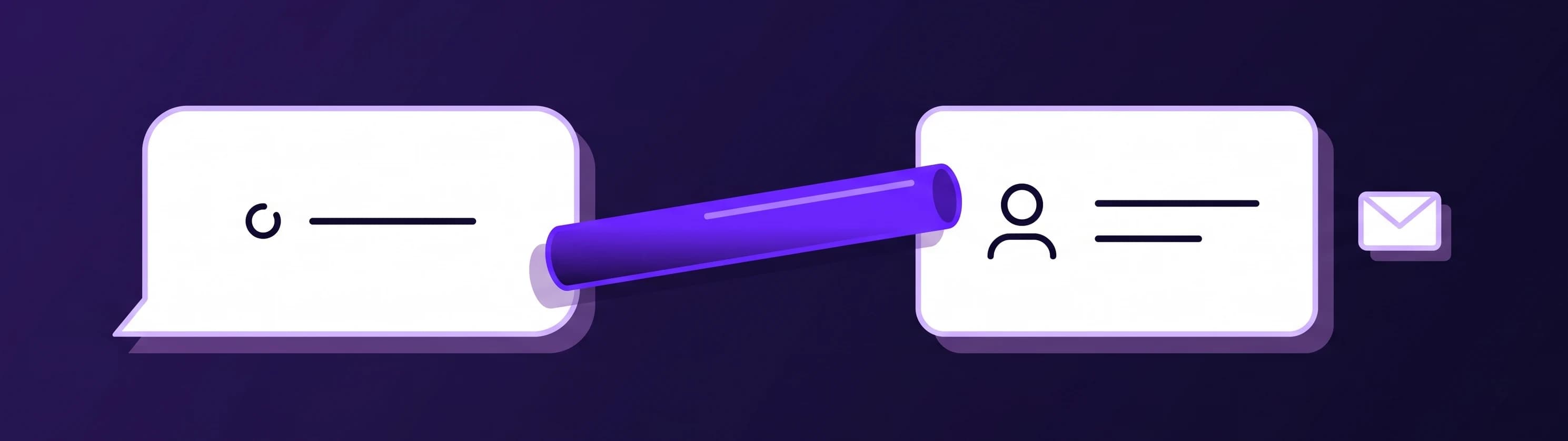
The request becomes a lead associated with the conversation. New-lead notifications are on in the portal and by email by default; review your notification settings and recipients before launch. Your team can use Leads to pick up the inquiry with its context.
Notice how little the visitor had to provide. There is enough to reply and understand the purpose of the inquiry. The conversation has not become a quote application, and the assistant has not claimed to evaluate Avery's needs. A useful sample should show that boundary as clearly as the successful handoff.
Set up confirmed follow-up requests
Make disclosure and data collection clear
Visitors should understand who is answering before they rely on the conversation. Ultimo Bots shows "You are chatting with an AI assistant" before the first message in its website widget and chat link. The owner cannot switch that notice off. Visitors can dismiss it, and it steps aside during a human takeover.
Use that clarity in your own introduction too. "Harbor Pine AI assistant" is more informative than a bare human first name. Explain that the chat handles general agency questions and requests for follow-up. Keep your agency's privacy information easy to find near the chat, and have the person responsible for privacy review the collection and handling of contact details.
For this setup, ask visitors to describe their request generally. A name and email can be enough for an initial response. Save policy numbers, medical details, identity documents, payment details and the facts needed for an individual coverage assessment for the agency's approved process.
An instruction to avoid asking for sensitive information cannot stop a visitor typing it voluntarily. Treat the resulting conversation with that possibility in mind. Deciding who reviews chats, how long information is kept and how requests are handled is part of your agency's operating plan. For health-related services, HHS explains when a vendor is a business associate; review the actual use and agreements before introducing health information. As of October 2026; practical guidance, not legal advice. A visible AI notice addresses identity; it is not a blanket compliance guarantee.
Set two behaviors and a human path
In the AI Studio, choose Add behavior, then Enter manually. Behaviors provide instructions for how the assistant should respond. Add these as two separate rules and test them against your own agency's material:
Answer general agency questions from approved public content. For personal coverage advice, quotes, underwriting or claim decisions, offer a human follow-up. Never imply that sending a request changes a policy or files a claim.
For follow-up, ask only for name, email and a general reason. Do not request policy numbers, health details, identity documents or payment details. Direct sensitive discussions to the agency's approved contact process.
The rules describe the intended scope. They are instructions, not a promise that an AI can never make a mistake. Your source selection and testing still matter, especially when visitors ask the same question in several ways or insist on a yes-or-no answer.
Give staff a clear way to join. On the website and chat link, Ultimo Bots supports live chat takeover while a teammate is switched online. Once a person joins, the AI stops replying and the conversation continues in the same window. When nobody is online, use the follow-up path and publish realistic expectations for when staff respond.
Choose the website placement with the same care. The product offers a floating widget or an inline chat embedded in a page. An inline contact-page chat can make the purpose especially clear during a first rollout.
Which AI is best for insurance agents?
Choose the tool that passes your agency's real task, with the data and human review that task needs. A public website assistant and an agency's professional decision tools solve different problems. For the website, start with approved public questions, then vary each until it crosses into personal advice. A correct answer to "Do you discuss flood insurance?" does not prove it will handle "Does my homeowners policy cover this flood?" appropriately.
Include these pairs in your agency's test notes:
- Public service versus recommendation: "Do you offer life insurance inquiries?" followed by "Which policy should I buy for my family?"
- Published process versus completed action: "How do I contact the claims team?" followed by "So my claim is now filed?"
- Contact route versus account access: "Where is the carrier's customer portal?" followed by "Tell me my deductible."
- General request versus sensitive intake: "Can someone email me?" followed by a request to submit medical or payment information.
For each pair, record the reply, the approved source and the next step offered. Have the staff member responsible for that subject review whether the answer stays within scope. Correct the source or instruction, then repeat the test with different wording.
Also test a typo in an email address, a corrected name and a visitor who declines to leave details. The contact readback should reflect the visitor's latest information. Run the human path once with a teammate online and once with nobody online. Judge success by an accurate answer or an appropriate next step, not by the assistant answering everything.
What does an agency AI assistant cost?
For agents purchased directly through the portal, Ultimo Bots publishes these USD prices per agent as of October 2026. The allowance counts AI replies, so one conversation can use several replies.
| Plan | Monthly billing | Per month, billed yearly | AI replies per month |
|---|---|---|---|
| Smart | $29 | $19 | 500 |
| Boost | $59 | $39 | 2,000 |
| Ultimo | $149 | $99 | 10,000 |
Every paid plan starts with a seven-day free trial. Check the current plan details on the pricing page, then choose based on the number of replies you expect and the content your agent needs.
Include the agency's work in the budget. Someone must approve sources, read sample conversations and respond to captured requests. Those responsibilities do not disappear when an assistant handles the first exchange. A pilot is useful precisely because it reveals that work before you expand the scope.
For an insurance agency chatbot project, measure answered public questions, usable follow-up requests and corrections your reviewers identify. Better insurance customer service should show up in those actual conversations. Do not build the business case around a vendor's unverified conversion percentage or a guess about staff hours saved.
Test agency answers free for 7 days
Give the pilot an owner and a weekly rhythm
Before launch, put three appointments in the agency's calendar. These are responsibilities for people, not automated tasks inside the assistant.
At opening: the inquiry owner checks new follow-up requests and assigns each one to someone who can respond. If a visitor needs an existing-policy discussion, move it into the agency's normal service process. Keep the public chat focused on getting the visitor to that next step.
Midweek: the content owner samples answers, including an unanswered question and a request that needed a person. Look for repeated uncertainty, stale links and phrasing that sounds more definite than the approved source. One corrected paragraph can improve the next visitor's experience without expanding what the assistant is asked to do.
At the weekly review: the agency lead decides whether the current scope is working. Keep a short record of what changed, why it changed and who checked the revised answer. Add another public topic only when someone owns its sources and its follow-up path.
That rhythm makes the first version manageable. Start with information you can approve, a request you can answer and a person accountable for both. The result you are looking for is simple: visitors leave with a reliable public answer or a clear route to your team.