

A chatbot widget is the chat bubble in the corner of a website and the window that opens when a visitor clicks it. The bubble is the easy part; what decides whether it earns its place is what sits inside: where its answers come from, what it can do, who takes over when a person is needed, and whether it tells visitors they are talking to an AI. This guide gives you seven checks to run before you install one, written for any vendor, with our own answers alongside.
Ultimo Bots is an AI support agent that lives in your website's chat widget: it answers from your own content around the clock, books appointments, captures leads, hands the chat to you when you are online, and runs the same agent on a chat link, Messenger, Instagram, Telegram and Slack, with Zapier, Make or n8n for everything that should happen after the chat.
This guide also covers the check most widget pages skip: whether visitors are told they are chatting with an AI. Ultimo Bots' widget tells every visitor before the first message, in eight languages, and you cannot switch that notice off. That is the kind of disclosure California's bot law and the EU AI Act ask for, built into the widget and chat link instead of left to you.
Put an AI agent in your widget
What a chatbot widget is, and what sits inside it
"Chat widget" is the general name for any chat box a site embeds; a chatbot widget is one where software answers first instead of a person. Behind that same bubble sit three very different products:
- Scripted button menus. The visitor clicks through choices someone drew in a flow builder. Predictable, but the moment a question is not on the menu, it ends in "leave your email".
- Live chat boxes. A person answers, if a person is there. Outside your hours, the box turns into a contact form.
- AI agents. The AI reads the question in the visitor's own words, answers from your content, and can take an action or bring a person in.
Every chatbot bubble looks friendly in a screenshot; the difference shows when a visitor asks something real at 9 pm, which is why the checks below look inside.
What does a chat widget look like?
Closed, it is a launcher: a round button, usually in a bottom corner, often with a short pop-up message after a few seconds, such as "Questions about sizes? Ask here." Open, it is a window with your logo or name in the header, a welcome message, a few starter questions a visitor can tap, and a field to type in. The usual chat icon is a speech bubble, though most tools let you upload your own.
Looks decide whether people click. In Ultimo Bots you set the launcher's size, shape, position and icon, your colors and font, your logo, the agent's avatar, the header text, welcome messages, starter questions and pop-up messages, and a live preview shows every change before you save. On Boost and Ultimo you can also remove the "Powered by Ultimo Bots" line. If you would rather not float a bubble, an inline embed places the chat inside one page, such as your contact page.
One element you do not design: the strip above the first message that says "You are chatting with an AI assistant". Check four explains why.
Is there a ChatGPT widget for your website?
People search for a ChatGPT widget because they want what a general AI assistant can do on their own site. The catch is what a general assistant knows: the internet, not your prices, your opening hours or your return policy, and nothing in it can put a visitor into your calendar. Drop a general assistant into a bubble and it will answer confidently about things your business never said.
Yes, there is an AI widget for almost any site, but the one you want answers from your own pages and files, says when it does not know, and stays on your topics. When you compare any AI chatbot widget, ask three things: Which sources does it answer from? What does it do when the answer is not there? Can you give it rules in plain words?
In Ultimo Bots those rules are behaviours: short instructions of up to 250 characters, such as "Never promise a delivery date; link our shipping page instead." Your rules outrank the AI's defaults.
Seven checks before you install a chatbot widget
Run these against every tool on your shortlist, ours included. The middle column is what to ask the vendor; the right column is our answer.
| Check | Ask the vendor | How Ultimo Bots answers it |
|---|---|---|
| 1. Where the answers come from | Which of my sources can it read, and how does it stay current? | Website, PDF and Word files, Q&A, Google Drive, OneDrive, Notion, product catalogs, Wix CMS; automatic website re-reading monthly on Boost or up to daily on Ultimo, if you switch it on |
| 2. What it can do | Can it book, look up an order or capture a lead, or only talk? | Books in Cal.com, sends a Calendly booking link, hands over Wix Bookings, Wix order status after an email code, lead capture, HubSpot, Mailchimp, Zapier, Make, n8n |
| 3. Who takes over | What happens when a visitor asks for a person? | "Talk to a human" while you are online; the AI stops when you join, same window, full history |
| 4. What visitors are told | Does it say it is an AI before the first message? | A fixed notice in 8 languages that you cannot switch off |
| 5. How it installs | Is there an app for my site builder, or do I paste code? | Wix App Market app, WordPress.org plugin, Webflow app, a three-line snippet anywhere else |
| 6. Which channels it covers | Can the same AI answer on social channels? | The same agent on a chat link, Messenger, Instagram DMs, Telegram and Slack |
| 7. What you pay for | Seats, conversations, resolutions or a flat plan? | A flat price per agent from $29 a month, no seat fees, 7-day free trial |
Check four is now a legal question
California's bot disclosure law, Business and Professions Code section 17941, makes it unlawful to use a bot to communicate with a person in California online with the intent to mislead them about its artificial identity, knowingly deceiving them about the content of the communication, in order to incentivize a purchase or sale. You are not liable under that section if you disclose that it is a bot, in a way that is clear, conspicuous and reasonably designed to inform. In the EU, Article 50 of the AI Act has applied since 2 August 2026: AI systems that interact directly with people must be designed so that people are informed they are interacting with an AI, in a clear and distinguishable manner and at the latest at the first interaction, unless that is obvious.
Both lead to the same practical answer: say it, visibly, before the first message. Ultimo Bots' widget and chat link show "You are chatting with an AI assistant" above the first message in the visitor's browser language (English, German, French, Spanish, Italian, Portuguese, Dutch or Polish, and English for everyone else). You cannot switch it off; a visitor can close it once they have read it, and it steps aside while someone from your team has taken over the chat. Messenger, Instagram, Telegram and Slack do not show that strip, and the AI is not told which channel a message comes from, so add a behaviour that works everywhere, such as "In your first reply, say that you are an AI assistant." As of October 2026; practical guidance, not legal advice.
Where the answers come from
An AI chatbot for website visitors is only as good as what you give it to read. In Ultimo Bots, everything goes into one knowledge base:
- Your website, crawled page by page
- Files such as PDF and Word documents: price lists, menus, policies, manuals
- Q&A pairs for the answers you give every week but never wrote down
- Google Drive, OneDrive and Notion for documents you already keep there
- Product catalogs you upload, searchable by price, attribute and stock
- Wix CMS collections on Wix sites
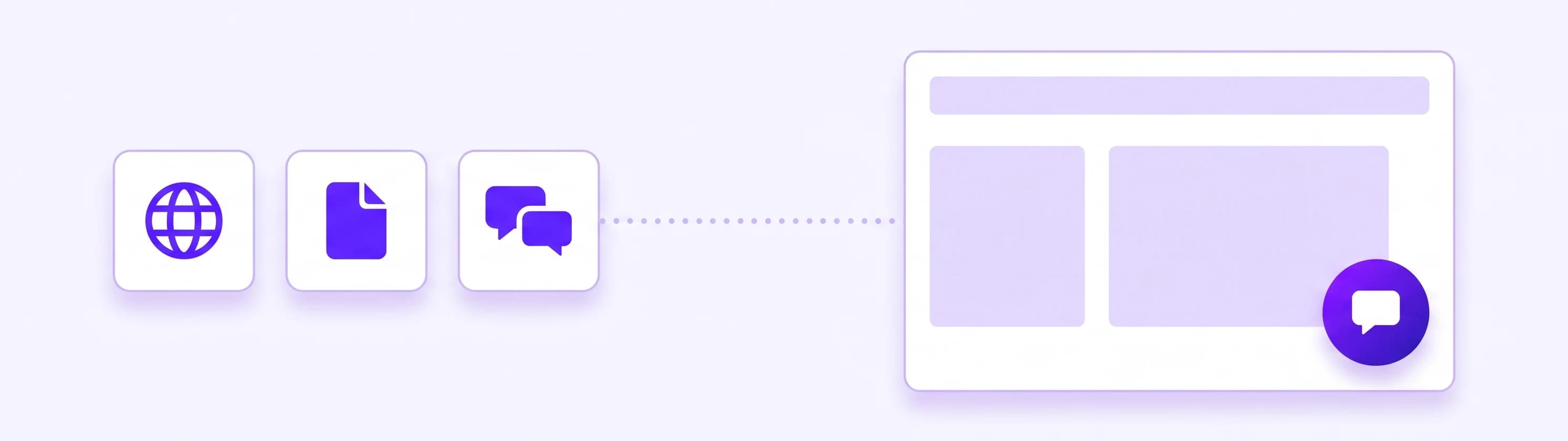
Freshness is the part buyers forget. On Boost the AI can re-read your website automatically every month, on Ultimo up to every day; you switch that on, and on any plan you can re-read by hand whenever something changes. Product catalogs never refresh on their own, so upload a fresh one when prices or stock change.
The AI replies in the visitor's language, more than 80 of them; the widget's own texts, such as the header and the welcome message, stay in the one language you write them in.
When the answer is not in your content, the AI is built to say so and offer a person or take the visitor's details, not to improvise. Before launch, ask it your ten most common questions and add a Q&A for every miss.
What it should do besides talk
A chatbot widget that only talks keeps visitors on the page; one that acts turns them into customers. You connect an app once, then describe in plain words in the AI Studio what the agent should do with it. Smart includes 3 of these skills, Boost 10 and Ultimo 30.
| What the visitor wants | What the agent does |
|---|---|
| An appointment | Books in Cal.com, and reschedules or cancels after a six-digit code sent to the visitor's email; shares your Calendly booking link; with Wix Bookings, shows services and open times, then hands over your booking page with the day already selected |
| "Where is my order?" | On a Wix store, looks up order status and tracking after the visitor confirms a six-digit email code |
| To pay | Sends a Stripe payment link; card details never enter the chat |
| To be contacted | Takes name and email, reads them back for confirmation, then passes the lead to you |
| To join your list or CRM | Signs them up in Mailchimp or saves them as a HubSpot contact |
| Anything else | Sends the details to a Zapier, Make or n8n webhook; Make and n8n can also return an answer into the chat, Zapier only receives |
Here is a short exchange on the site of a small bike shop with Cal.com connected. The person typing is a visitor, not the owner:
Visitor: Do you service e-bikes? How long does it take?
AI: Yes. A standard e-bike service is $89 and usually takes two working days. Motor or battery faults are quoted after an inspection.
Visitor: Can I drop it off Thursday after work?
AI: Thursday has a drop-off slot at 4:30 pm. What name and email should the confirmation go to?
Visitor: Dana Ruiz, dana.ruiz@example.com
AI: Thursday at 4:30 pm, e-bike service, for Dana Ruiz: the confirmation is on its way to dana.ruiz@example.com. Please bring the charger and the battery key.
Three replies: a price from the shop's own page, a real open slot, and a booking the owner never touched. With Calendly the chat would end with your booking link; with Wix Bookings, on your booking page with Thursday selected.
The built-in lead skill stores name and email by default and confirms them with the visitor before it passes them on; add fields such as a phone number to that skill in the AI Studio. Every lead lands in your Leads inbox with the full transcript, and you can export the list to Excel. All connections are listed under app actions.
Who answers when nobody is online
A chatbot widget that hands every hard question to an email form is a contact form with better manners. Look for a real handoff.
In Ultimo Bots, a "Talk to a human" button shows in the widget while someone on your team has switched themselves online in the portal. When a visitor asks for a person, you get an alert in the portal, by email, in Slack or in Telegram, and you join the same window with the whole conversation in front of you. The AI stops replying while you are there. More on the live chat.

While nobody is online, the button is hidden and the AI keeps answering, and it can take a visitor's details, so the conversation is waiting in your Leads inbox in the morning. If you are online but nobody joins within the wait time you set, your offline message appears and the AI carries on.
Two details that change the monthly bill: AI-suggested replies, which draft an answer for you on Boost and Ultimo, do not use message credits, and neither do the messages you type yourself in the website chat. On paid plans, live chat also translates between your language and the visitor's.
Free chatbot widgets: what free usually costs you
A free chatbot widget is fine for a test; read the limits before you put one on a busy page. Three examples, checked on the vendors' own pricing pages on 3 October 2026:
- Elfsight's AI Chatbot widget has a free plan with one chatbot, 50 visitor messages and 200 widget views a month, and going over the monthly view limit temporarily deactivates it. A view counts every time the widget loads, so on a site where it loads on every page, about seven page views a day use up the month.
- Tidio gives you your first 50 conversations with its Lyro AI agent free, once, for the lifetime of the account rather than every month.
- tawk.to keeps human live chat free. Its AI Assist starts at $29 a month, with a free plan for sites with limited chat volume, and removing the "Powered by tawk.to" branding costs $29 a month.
So the useful question about any free widget is not "is it free?" but "what happens on the busiest day of the month?" Then compare how the paid plans bill: per seat, per conversation or resolution, per message credit, or a flat price per agent.
Ultimo Bots publishes its prices, per AI agent, with no seat fees:
| Plan | Monthly | Yearly billing | AI responses per month | Skills | Remove "Powered by" |
|---|---|---|---|---|---|
| Smart | $29 | $19 per month | 500 | 3 | No |
| Boost | $59 | $39 per month | 2,000 | 10 | Yes |
| Ultimo | $149 | $99 per month | 10,000 | 30 | Yes |
Every plan includes all channels, all app actions, lead capture and live chat. Only the AI's replies count; the bike-shop chat above used three. You get a warning at 80% of your allowance, and you can top up message credits in a busy month. Every new agent starts on a small one-time free allowance, so you can test it before you pick a plan, and every paid plan starts with a 7-day free trial. Details on the pricing page.
Add the widget to Wix, WordPress, Webflow, Shopify or any site
An AI chatbot widget goes on your site in one of two ways: as an app for your site builder, or as a short snippet.
| Your site | How the widget goes on |
|---|---|
| Wix | Add the Ultimo Bots app from the Wix App Market. The widget appears on your site without any code, and the agent picks up Wix Bookings, Stores and Contacts automatically |
| WordPress | Install the Ultimo Bots plugin from WordPress.org and activate it; a guided setup puts the agent live |
| Webflow | Install the Ultimo Bots app from the Webflow Marketplace |
| Shopify | Paste the snippet into your theme, before the closing body tag |
| Squarespace, custom HTML, most other builders | Paste the three-line snippet before the closing body tag, once for the whole site; on GoDaddy and Google Sites, place the inline embed on each page instead |
If you searched for a chatbot plugin, the WordPress row is your route; to embed chatbot code by hand, copy the snippet from the portal. Details for each builder: Wix, WordPress, Webflow and the website widget itself.
Every agent also gets a chat link, a full-page chat for emails, QR codes and social profiles.
Before you go live: a ten-minute visitor test
Whichever chatbot widget you choose, open your site on your phone, tap the bubble and type what visitors type:
- A question only your price list answers. The reply should quote your number, not a range.
- Something that is not on your site. It should say so and offer a person or take your details.
- "Can I come in on Thursday?" It should show open times, share your booking link or open your booking page.
- "Can I talk to someone?" Try it once while you are online and once while you are not.
- The same question in Spanish. The answer should come back in Spanish.
Then check the AI notice above the first message. If you would sign all five answers, the bubble is doing its job.