On this page
Automated customer service means letting software handle the routine part of customer contact: the questions you answer every week, the enquiries that arrive after closing time, and the follow-up work that comes after. Most guides on the subject are written for support teams with ticketing systems and agent routing. This one is written for the far more common situation, where the support team is you, and it covers what to automate first, what to keep human, and what it costs.
Ultimo Bots is automated customer service for small businesses: an AI agent that answers from your own content around the clock, captures leads, works across your website and messaging channels, and pushes what it collects into the tools you already run.
What automated customer service means when you are the support team
The enterprise version of this topic, usually filed under automated customer support or customer support automation, is about deflection rates and agent workload. For a business with two or five or twelve people, the reality is different and simpler: every customer question interrupts someone who was doing something else, and every question that arrives at 21:00 waits until morning, by which time the customer has often asked someone else.
So automation here is not about reducing headcount. It is about two specific things. First, the same twelve questions stop reaching a human at all. Second, the enquiries that arrive when nobody is available get a real answer instead of a contact form, and land on your desk with a name attached.
That is a much smaller and much more achievable goal than "automate everything", and it is where nearly all of the value sits.
What to automate first
Not everything is worth automating, and the order matters. These five pay for themselves fastest, roughly in this sequence.
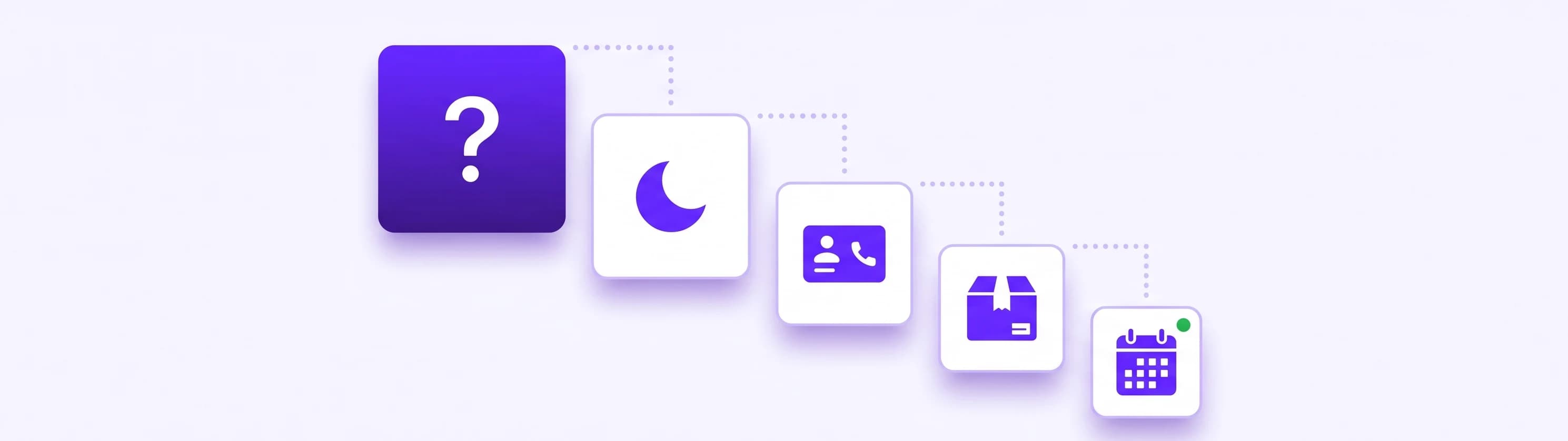
1. The questions you have answered a hundred times. Opening hours, prices, what is included, delivery areas, cancellation terms. An agent that has read your website answers these in seconds and never gets tired of the hundred and first. This alone is usually most of the volume.
2. The after-hours enquiry. Evenings and weekends are when people compare providers. A genuinely 24/7 first response keeps the conversation alive, and by morning you have the question and the contact details rather than an empty log line.
3. Collecting the details you always end up asking for. Name, email, what they need, when they need it, which product or service. The agent gathers that during the conversation instead of making the customer fill in a form, and you get the transcript with it.
4. Order and delivery status. For anyone selling online, this is the single most repeated question after checkout. With a connected store the agent can look it up directly, and it verifies the customer's email address first so it only ever shows that customer their own order.
5. Getting people to the right next step. Sharing your booking link at the moment someone asks for an appointment, pointing at the right product, or handing the conversation to you. Small thing, large effect on whether an interested visitor becomes a customer.
The one thing worth keeping human
One of the most common things people search for around this topic is how to get past automated customer service. That tells you everything about how it usually goes wrong: automation with no exit turns a mildly annoyed customer into a former one.
So the rule is simple. Automate the routine, and make the way to a person obvious and short. In practice that means a visitor can ask for a human at any point and reach one in the same chat window, and the agent hands over on its own when a question needs judgment: complaints, exceptions, anything involving money or a promise.
Treat the handoff as a feature rather than a fallback and the whole thing works. Customers get instant answers to the easy things and a real person for the things that deserve one, which beats both extremes. How to set that up so nobody has to repeat themselves after the handover is covered in our guide to the chatbot human handoff.
Where automation actually pays: from answer to action
Answering is only the visible half. The work that eats your week is what happens after the answer: copying details into a CRM, creating the task, sending the confirmation, telling a colleague.
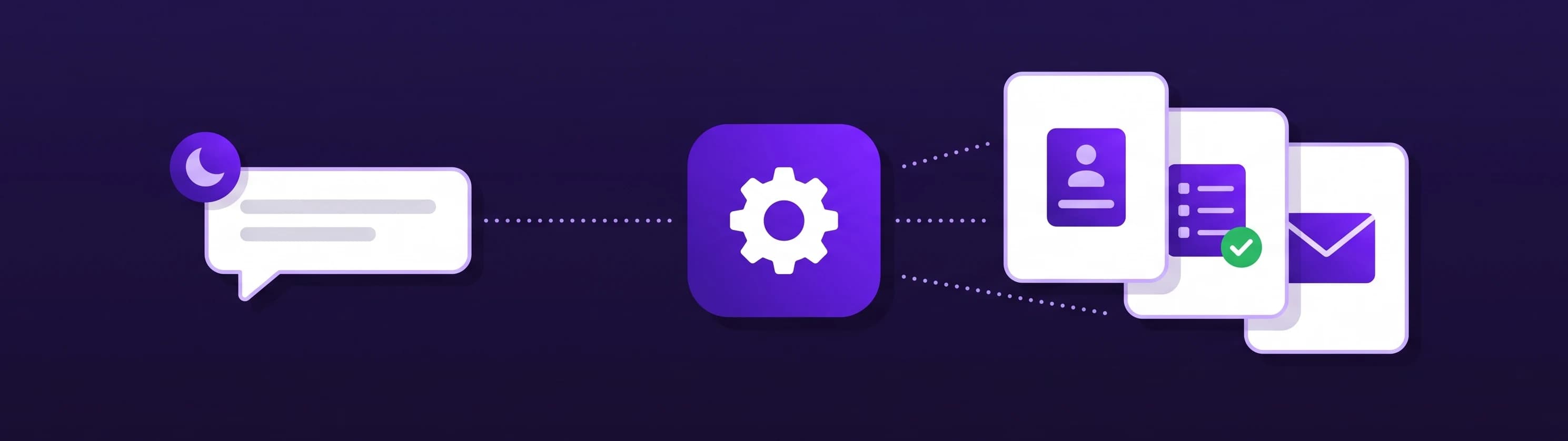
This is where an AI agent stops being a chat window. What it collects goes straight into the tools you already run: HubSpot and Mailchimp directly, and through a Zapier, Make or n8n webhook, practically any routine flow you handle by hand today. Concretely:
- A quote request arrives at 23:00. The agent collects the fields you need, and your workflow creates the CRM record, the internal task and the customer's confirmation email before you wake up.
- A callback request becomes a ticket in your system, already tagged and assigned, with the customer told when to expect the call.
- A repeat enquiry is logged to a spreadsheet and posted into your team channel, so nobody re-types anything.
- With Make or n8n the workflow can answer back inside the same conversation. Your own rules decide whether an address is in your service area or a job qualifies for the express slot, and the agent explains the result to the customer immediately. Zapier receives the data but cannot send a result back, so use Make or n8n when the customer should get an answer out of your systems.
The same agent works beyond your website too: a shareable chat link for email signatures and QR codes, plus Facebook Messenger, Instagram DMs, Telegram and Slack, all from one knowledge base and one inbox.
How to automate customer service in an afternoon
You do not need a project plan. The realistic sequence:
- Write down your twelve questions. The ones you answer every week. This list is the whole project brief.
- Point an agent at your content. Enter your website address so it reads your pages, then add files, question and answer pairs or connected sources like Google Drive, OneDrive or Notion for anything not published. Details in the knowledge base.
- Fill the gaps. Ask it your twelve questions. Every wrong or vague answer is a gap you close once, and it stays closed.
- Decide what to collect. Which details make a lead useful to you, and where the notification should land.
- Set the handoff. Make sure a visitor can reach a person through live chat, and that you are notified when they ask.
- Automate one flow. Pick the request you handle most by hand and send it to a Zapier, Make or n8n webhook through app actions. One is enough to start.
- Put it where your customers are. Your website first, then the messaging channels you actually use.
An afternoon gets you through all seven. The gap-closing in step three is what separates an agent people trust from one they route around.
What automated customer service costs
Customer service automation software is usually priced per agent seat, which makes little sense when you have no agents. Tools built for smaller businesses price by message volume instead, which is predictable:
| Plan | Monthly price | What is included |
|---|---|---|
| Smart | $29 (or $19 on yearly billing) | 500 messages, 200 content sources |
| Boost | $59 (or $39 on yearly billing) | 2,000 messages, 1,000 sources, monthly content rescan, branding removal |
| Ultimo | $149 (or $99 on yearly billing) | 10,000 messages, 10,000 sources, daily content rescan |
Every plan starts with a 7-day free trial and can be cancelled anytime. Details on the pricing page.
The comparison people reach for is a salary, but that is not the honest one for a small business, because you were never going to hire someone to answer emails at 22:00. The real comparison is the enquiries that currently go nowhere.
How to tell whether it is working
Three signals, in order of usefulness.
Leads you would not otherwise have. Count the captured contacts that arrived outside your working hours. That number is the clearest measure of what automation added, because none of them would have reached you.
Questions that stopped reaching you. Look at the conversations and count how many were resolved without you. If your twelve questions dominate that list, it is doing its job.
What people actually ask. This is the underrated one. The first month of transcripts tells you which page is unclear, which objection keeps coming up, and which question you never thought to answer on your site. It is the cheapest customer research available, and it usually improves the website as much as the support.
If after a month you see leads arriving overnight, the same questions handled without you, and a shortlist of things to fix on your site, then automated customer service is doing exactly what it should. That is a realistic outcome for an afternoon of setup, and nobody has to call it a transformation.
Frequently asked questions
What are some examples of automated customer service?
The common ones are answering repeated questions from your own content, replying to enquiries outside opening hours, collecting a lead's details during the conversation, looking up order and delivery status, and sharing a booking link at the right moment. Beyond the chat itself, the collected details can create a CRM record or an internal task automatically.
How do you automate customer service?
Write down the questions you answer every week, point an AI agent at your website so it reads your content, then fill the gaps it cannot answer. Decide which lead details to collect and where notifications land, keep a clear route to a human, and connect one routine flow to Zapier, Make or n8n. An afternoon covers all of it.
What should you not automate in customer service?
Anything needing judgment: complaints, exceptions, negotiations and promises about money or deadlines. The path to a person must also stay open at all times. Automation that traps a customer costs you more than the time it saves, which is why "how to bypass automated customer service" is such a common search.
Is automated customer service worth it for a small business?
Usually yes, for a narrow reason. If you answer the same questions every week and receive enquiries outside opening hours, an agent that replies in seconds and captures contact details pays for itself with a handful of saved enquiries per month. Measure it by counting the leads that arrived overnight during a free trial.
How much does customer service automation cost?
Enterprise platforms charge per agent seat, which makes little sense without agents. Tools for smaller businesses charge by message volume: Ultimo Bots starts at $29 per month for 500 messages, or $19 on yearly billing, with larger plans at $59 and $149. Every plan begins with a 7-day free trial.