

An appointment chatbot is a chat on your website that answers the questions people ask before they book, then gets them into a real slot: it books the appointment itself, or hands over your scheduling link or booking page at the right moment. The good ones also let a client move or cancel a booking without calling you. This guide is for the owner who already has a booking tool and still loses bookings, because visitors had two questions first and nobody was there to answer them.
Ultimo Bots is an AI receptionist for any service business: it answers from your own content around the clock on your website, a shareable chat link, Messenger, Instagram, Telegram and Slack, books appointments in Cal.com or hands over your Calendly link or Wix booking page, hands the chat to you in live chat, and connects to Zapier, Make or n8n so the follow-up runs on its own.
What an appointment chatbot does on your website
Most pages on this topic are written for people who build booking bots: templates, flow builders, tutorials. If you run a massage studio, a salon or a consulting business, you do not want to build anything. You want the almost-ready visitor to get the last answer they need, and then book. The job is short:
- Answer the pre-booking question from your own website, price list and policies.
- Show real availability instead of "call us to check".
- Book, or hand over the booking step, while the visitor is still interested.
- Handle changes later: reschedule or cancel without a phone call.
- Bring you in when a person is needed, and keep the contact when nobody is around.
For the wider picture beyond bookings, see our AI receptionist guide.
Everything else is decoration. Whatever the name, a booking chat that cannot answer "how long does it take?" is just a booking link with extra steps.
Why a booking link alone loses bookings
A booking page asks the visitor to decide. Many visitors are not ready to decide, because something small is still open, and a calendar full of free slots does not answer it. The questions that stand between a visitor and a booking are almost always the same:
| What the visitor asks | Where the answer comes from |
|---|---|
| "How much is a 90-minute session?" | Your price list page or PDF |
| "How long does a first visit take?" | Your service pages |
| "What should I bring or wear?" | A Q&A you write once |
| "Is there parking?" | Your contact or location page |
| "What if I need to cancel?" | Your cancellation policy |
| "Do you have anything Thursday evening?" | Your live calendar in Cal.com or Wix Bookings (with Calendly, the visitor sees the times on your Calendly page) |
On a quiet Tuesday you answer these by phone. At 9:40 pm, or while you are with a client, nobody answers, and the visitor books with whoever did. The gap is not the booking tool. It is the two minutes before it, and that is the gap an appointment chatbot closes.
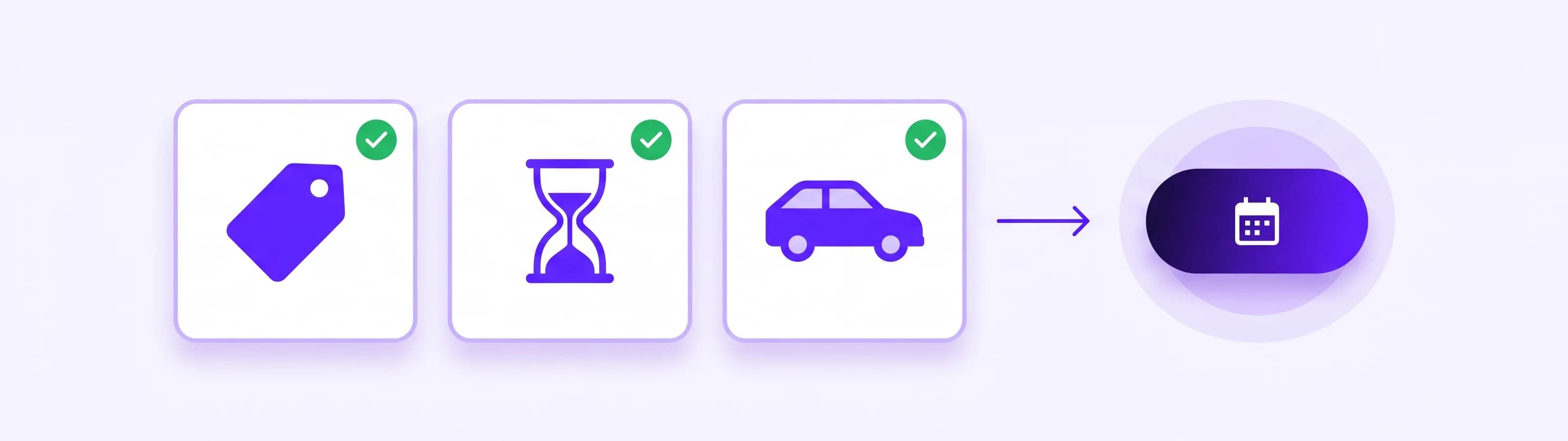
What to put in on day one, so those answers are right from the first chat:
- Your website, every service page with its duration and price
- A price list as PDF or Word file if prices are not on the site
- Your policies: cancellation window, late arrival, deposits, new-client rules
- Location facts: address, parking, entrance, accessibility, public transport
- Ten answers you give every week, written as Q&A: what to bring, what to wear, whether children can come along
All of it lives in one knowledge base, and the AI answers from what you put there, not from guesses about your business.
Three ways an appointment chatbot can book
"It books appointments" can mean three different things. Know which one you get before you pick a tool, because the difference is exactly where visitors drop off.
| Your booking tool | What the AI does in the chat | Where the booking is completed |
|---|---|---|
| Cal.com | Checks your open slots, books the chosen time, and can later reschedule or cancel it | In the chat |
| Calendly | Shares your scheduling link at the right moment | On your Calendly page |
| Wix Bookings | Lists your services with duration and price, shows open times, then hands over your Wix booking page with the chosen day already selected | On your Wix booking page, including checkout for paid services |
Direct booking is the smoothest, because the visitor never leaves the conversation. A handover still beats a bare link: the visitor arrives with their questions answered, and on Wix with the day already picked.
Here is what that looks like with Cal.com on the site of a small massage studio, with Ultimo Bots as the AI agent:
Visitor: How long is a deep tissue massage and what does it cost?
AI: We offer deep tissue as 60 minutes for $95 or 90 minutes for $130. If you come by car, there's free parking in the lot behind the building after 5 pm.
Visitor: Can I get 90 minutes on Thursday evening?
AI: Thursday has two 90-minute openings: 5:30 pm and 7:00 pm. Which one suits you?
Visitor: 7 pm please.
AI: Great. What name and email should the confirmation go to?
Visitor: Sam Carter, sam.carter@example.com
AI: You're booked: 90-minute deep tissue massage, Thursday at 7:00 pm. The confirmation is on its way to sam.carter@example.com. You can cancel for free up to 24 hours before, and if you need to move it, just message us here. Anything you'd like the therapist to know, you can tell them at the start of your session.
Four short exchanges: price, parking, a confirmed slot and the cancellation rule, and nobody picked up a phone. The last line is deliberate, because it keeps health details out of the chat (more on that below). The confirmation email comes from Cal.com, exactly as if the client had booked on your Cal.com page, so your own templates and reminders apply.
You connect Cal.com or Calendly once on the Apps page, then describe the booking skill in plain words in the AI Studio: "When a visitor wants to book, answer their questions first, then ask which service and day they want, show the open times and book the one they choose. Always mention our 24-hour cancellation policy." On a Wix site, the booking skill for Wix Bookings is set up for you. All actions are listed under app actions.
Can a chatbot reschedule or cancel appointments?
Yes. With Cal.com the AI does both in the conversation. That matters because a client who cannot make Thursday rarely calls at 10 pm to say so, but will send one message, and you get the slot back in time to fill it.
Because an existing booking is private, the AI checks who it is talking to first:
- The visitor writes "I need to move my Thursday massage."
- The AI asks for the email the booking was made with and sends a six-digit code to that address.
- Once the visitor enters the code, the AI can see only the bookings made with that email, and nobody else's.
- It offers open times, moves the booking, and the visitor gets the updated confirmation.
Nothing to set up for this check: it runs automatically whenever the AI touches someone's existing booking, and the verified session lasts 30 minutes.
With Calendly or Wix Bookings, the change happens where the booking lives. Calendly can put cancel and reschedule links into its confirmation emails, and Wix Bookings lets clients cancel or reschedule from a Manage Booking button within the limits of your booking policy. Write that into a Q&A, and the AI explains your policy and points the visitor to that link, so the answer to "can I move it?" still arrives at 10 pm.
Two habits make reschedules easier still: state your cancellation window in every booking conversation (the skill above does that), and if you use Cal.com and can edit its reminder emails, add your chat link with one line: "Need to change your time? Just message us here."
Which scheduling app should sit behind it?
The best appointment scheduling app is usually the one you already run. An appointment chatbot sits on top of your scheduler; it does not replace it.
- Choose Cal.com if you want visitors to book, reschedule and cancel entirely inside the chat.
- Keep Calendly if you are happy with it; the AI hands over your scheduling link at the right moment.
- Keep Wix Bookings on a Wix site, especially for paid services, which are completed on Wix's own booking and checkout page (more on classes in our guide to Wix booking for gyms).
What about Google Calendar? The AI does not connect to Google Calendar directly. Your scheduler does: Cal.com checks all your connected calendars for conflicts by default, Calendly checks the calendars you select, and Wix Bookings can sync with your primary Google Calendar. So a private appointment in your Google Calendar blocks that time, and a booking made in the chat lands in your calendar. If you are still choosing a scheduler, test that calendar sync first.
A note on names, because searches mix them up: an AI appointment setter usually means a voice or outbound tool that phones leads, and some AI scheduling tools plan your own calendar rather than taking bookings. This guide is about the visitor who is already on your website and wants to book.
Clinics, therapists and chiropractors: keep the chat to scheduling
Many owners who want a booking chat run a practice, so here is the short version for chiropractors, therapists and clinics. Ultimo Bots makes no HIPAA claim and does not offer a Business Associate Agreement today. HIPAA applies to covered entities and their business associates. For providers, a covered entity generally means a practice that sends health information electronically in a standard transaction, such as billing a health plan, and HHS explains when a vendor becomes a business associate that needs such an agreement. If your practice is a covered entity, ask your compliance advisor before you route bookings through any tool without one.
Whatever your situation, keep the chat to scheduling and general questions: services, prices, times, location, what to bring. Never let it ask for symptoms, diagnoses, medications or insurance numbers. Write that as a behaviour in the AI Studio, and owner rules outrank the AI's defaults:
"Only help with booking, prices, opening times, location and general questions about our services. Never ask about symptoms, conditions, diagnoses, medications or insurance details. If a visitor starts describing a health problem, thank them, say the therapist will go through it in person, and offer to book a time or connect them with the team."
Visitors can still type health details on their own, and every chat is kept as a transcript, so treat your chat history like any other client record.
The website chat and chat link also tell every visitor, before the first message, that they are chatting with an AI assistant. This section is practical guidance, not legal advice.
When a person should take over
Some visitors need you: a new client with an unusual request, a group booking, a complaint about last week. While someone on your team is online, a "Talk to a human" button shows in the live chat. When a visitor asks for a person, the AI brings you in right away, and when the answer is not in your content, it offers a person. You join the same window with the full history, and the AI stops replying while you are there. The details of a clean takeover are in our guide to chatbot human handoff.
While nobody is online, the button is hidden. The AI keeps answering and can take contact details, so an unbooked visitor is not lost. Your offline message only appears if a visitor asked for a person and nobody joined in time, two minutes by default.
The built-in Lead Generation skill stores name and email; for a phone number or a preferred day, add those fields to that skill in the AI Studio. Every lead lands in your leads inbox with the full transcript, and you get an email plus, if you like, an alert in Slack, Microsoft Teams or Telegram. When you reply yourself, Translate works between your language and the visitor's on every paid plan, and suggested replies draft an answer on Boost and Ultimo. The AI itself answers in more than 80 languages.
After a booking, the details can travel on. HubSpot and Mailchimp connect directly, and a skill can send the booking to a Zapier, Make or n8n webhook: a row in your client sheet, a new-client form by email, a note in your team channel. Zapier receives the data but cannot answer back into the chat (webhook triggers need a paid Zapier plan); Make and n8n can.
What an appointment chatbot costs, and is there a free one?
Free tiers differ a lot: some are scripted button menus, others cap conversations tightly, so check what the free plan actually answers. Ultimo Bots has a free plan with a small one-time allowance, offered when you set it up through the Wix, WordPress or Webflow onboarding. The paid plans have public prices, per AI agent, with teammates at no extra cost:
| Plan | Monthly | Yearly billing | AI responses per month |
|---|---|---|---|
| Smart | $29 | $19 per month | 500 |
| Boost | $59 | $39 per month | 2,000 |
| Ultimo | $149 | $99 per month | 10,000 |
Every plan includes all channels, the scheduling apps, lead capture and live chat. Only the AI's replies count, including suggested replies it drafts for you, not the messages you type yourself. A short booking chat like the one above uses four. The comparison worth making is the plan price against one or two appointments a month that would otherwise have gone to the studio down the road. Details on the pricing page.
Every paid plan starts with a 7-day free trial.
Answer booking questions by tonight, then measure three things
This order works in under an hour:
- Install it from the Wix App Market, as the WordPress plugin or the Webflow app, or paste one snippet into any other site. The widget loads without blocking your page and runs in its own isolated layer.
- Add your site and the day-one content from the list above.
- Connect your scheduler: Cal.com or Calendly on the Apps page; on Wix, Wix Bookings is picked up automatically.
- Describe the booking skill in plain words, including your cancellation policy.
- Add one behaviour if you are a health practice: the scheduling-only rule above.
- Set up your alerts and go online when you can answer: the live-chat button shows only while you have switched yourself online in the portal, and alerts by email, Slack, Microsoft Teams or Telegram put a live-chat request on your phone.
- Test it like a visitor. Open your chat link on your phone and ask the six questions from the table, then book, move and cancel a test appointment.
If you would rather do it together, you can book a free 15-minute setup call from the portal.
The same agent also answers on the chat link, a full-page chat you can turn into a QR code for your front desk or appointment cards, and on Instagram DMs, Facebook Messenger, Telegram and Slack, with the same knowledge and skills.
After a month, three signals tell you whether it works:
Bookings outside your hours. Count the bookings made in the evening, at night and on weekends that started in a chat. Nobody would have answered those questions in time.
Changes that never reached your phone. Count the reschedules and cancellations handled in the chat. Each one is a slot you could refill instead of an empty hour.
Questions it could not answer. Read the chats where the AI offered a person because the answer was missing. It is usually the same few things, such as gift vouchers or whether you treat children. Add them, and next month they are answered.
If visitors get their answers at 9:40 pm, book without a phone call and move appointments instead of skipping them, the AI agent on your site is doing the one job that matters: turning the two minutes before a booking into a booking.