
We're excited to announce Native Microsoft OneDrive Integration for Ultimo Bots, enabling you to train your AI chatbot directly from documents stored in your OneDrive and SharePoint.
This powerful new feature means your chatbot can now access and learn from your existing Microsoft 365 documentation, including Word documents, Excel spreadsheets, PowerPoint presentations, and PDFs, without any manual copy-pasting or file conversions.
If your organization runs on Microsoft 365, your team already maintains product specs, FAQs, pricing sheets, and process documentation in OneDrive. Now your AI agent can leverage that knowledge instantly.
Why OneDrive Integration Changes Everything
Most businesses already have their knowledge documented somewhere. The problem? Getting that knowledge into your AI chatbot has traditionally been tedious:
- Manual copy-paste from documents into training interfaces
- File format conversions that lose formatting and context
- Outdated knowledge bases because syncing is a manual chore
- Scattered information across team members' local files
With Ultimo Bots' OneDrive integration, these problems disappear:
- Direct import from your existing OneDrive or SharePoint
- Automatic content extraction from Word, Excel, PowerPoint, and PDFs
- One-click resync when documents are updated
- Centralized management of all knowledge sources
- Multiple account support for team collaboration
What Documents Can You Import?
Our OneDrive integration supports a wide range of Microsoft Office file formats:
| File Type | Supported Formats | Best For |
|---|---|---|
| 📄 Documents | Word (.docx, .doc), .txt, .rtf | FAQs, policies, guides, manuals |
| 📊 Spreadsheets | Excel (.xlsx, .xls), .csv | Product catalogs, pricing, specs |
| 📑 PDFs | .pdf (text-based) | Brochures, reports, documentation |
| 📝 Text Files | .txt, .md, .rtf | Notes, README files, scripts |
Pro tip: Word documents and Excel spreadsheets work best because we can extract their content with perfect formatting. PDFs work great too, but ensure they contain selectable text (not scanned images).
Step-by-Step: Import Documents from OneDrive
Setting up OneDrive integration takes just a few minutes. Here's the complete guide:
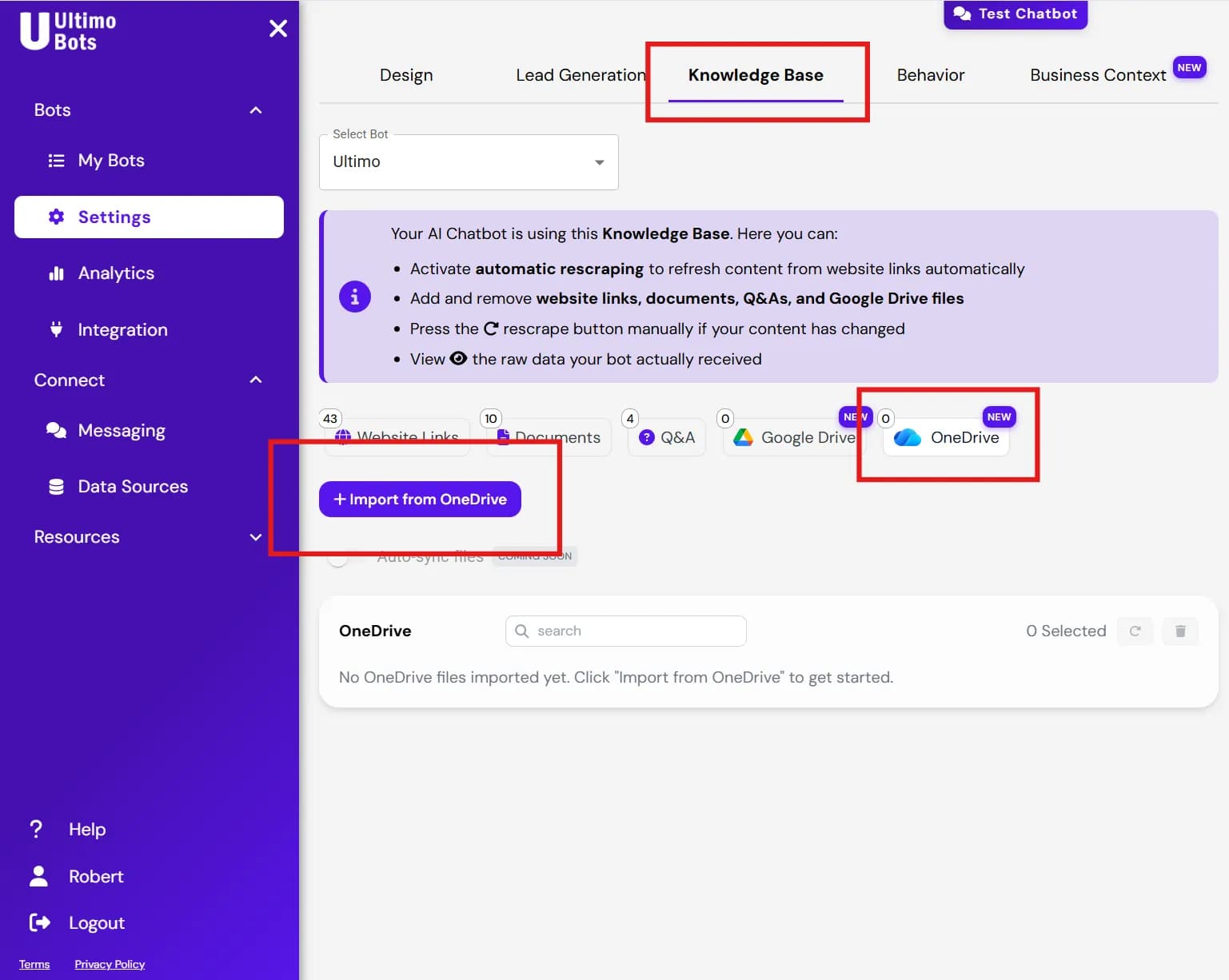
Step 1: Navigate to Knowledge Base → OneDrive
Log in to your Ultimo Bots Portal and select your chatbot. In the left sidebar, navigate to Knowledge Base, then click on the OneDrive tab. Click the "Import from OneDrive" button to begin.
Step 2: Connect Your Microsoft Account
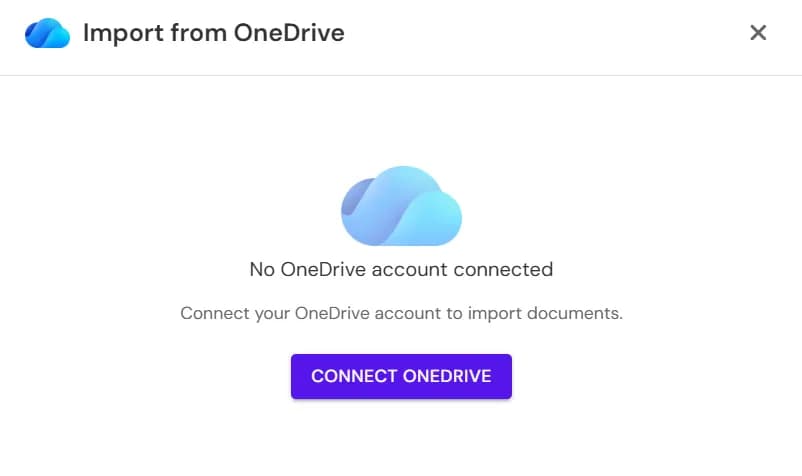
If you haven't connected a Microsoft account yet, you'll be prompted to do so. Click "Connect OneDrive" to start the secure OAuth flow with Microsoft.
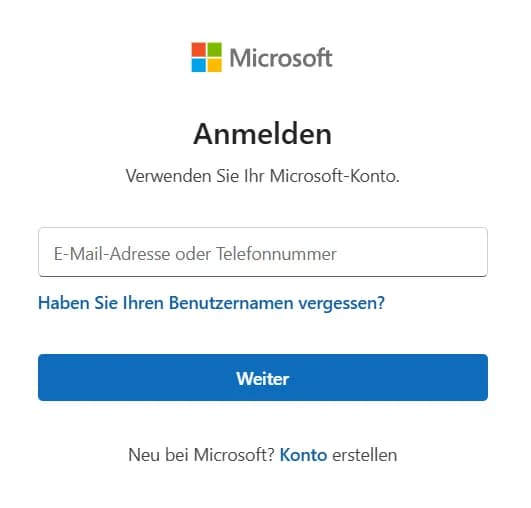
Step 3: Grant Permission to Your Microsoft Account
Microsoft will ask you to authorize Ultimo Bots to access your OneDrive files. Review the permissions and click "Accept". You can connect multiple Microsoft accounts if your team's documents are spread across different OneDrive accounts or tenants.
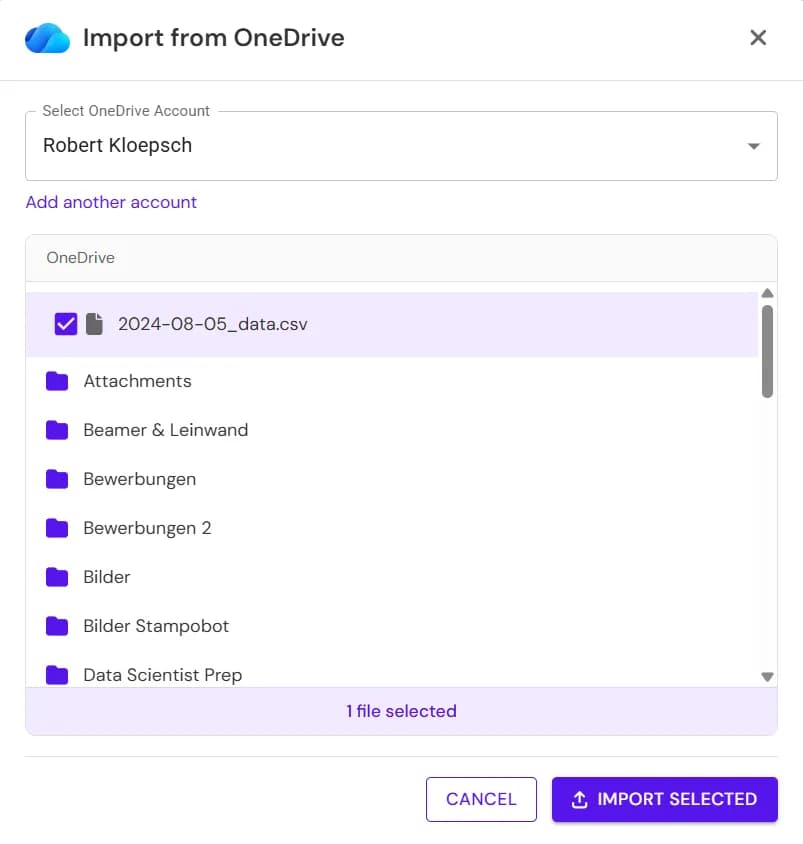
Step 4: Select Files from OneDrive
Once connected, you'll see a file browser showing your OneDrive contents. Navigate through your folders and select the files you want to import into your chatbot's knowledge base. You can select multiple files at once.
Step 5: Manage Your Knowledge Base Files
Your imported files now appear in your knowledge base. From here you can:
- Delete files you no longer need
- Add more files from OneDrive
- Resync content when source documents are updated

That's it! Your chatbot now has access to all the knowledge in your OneDrive documents and can answer questions based on that content.
Perfect for Microsoft 365 Organizations
If your company uses Microsoft 365, OneDrive integration is a game-changer:
🏢 Enterprise Knowledge Management
Connect your corporate OneDrive or SharePoint to give your chatbot access to company-wide documentation. From HR policies to technical specifications, your AI agent becomes the single point of access for organizational knowledge.
🛒 E-Commerce: Product Knowledge
Import your product catalog from Excel spreadsheets. Your chatbot can now answer detailed questions about product specifications, availability, pricing, and comparisons, all from a single source of truth that your team already maintains.
📋 HR & Internal Support
Upload your employee handbook, PTO policies, and benefits documentation from Word. New hires and existing employees can get instant answers to HR questions without waiting for a response from the HR team.
🔧 Technical Support
Upload technical documentation, troubleshooting guides, and API references. Your support chatbot becomes an expert on your product's technical details, reducing escalations to engineering.
Keep Your Knowledge Base Current with Resync
Documents change. Prices get updated. Policies evolve. With traditional chatbot training, this means re-uploading files and hoping nothing breaks.
Ultimo Bots' resync feature solves this.
When your OneDrive documents are updated, simply click the "Resync" button next to any file in your knowledge base. We'll fetch the latest content from OneDrive and update your chatbot's knowledge automatically.
No re-uploading. No manual edits. Just one click to stay current.
Automatic Sync for Premium Plans
Want to skip even the manual resync? Our premium plans offer automatic synchronization:
| Plan | Auto-Sync Frequency | Description |
|---|---|---|
| Free / Starter | Manual only | Click "Resync" to update documents |
| 🚀 Boost | Monthly | All documents auto-sync once per month |
| ⭐ Ultimo | Daily | All documents auto-sync every day |
With auto-sync enabled, your chatbot automatically detects changes in your OneDrive documents and updates its knowledge base, so your customers always get the most up-to-date answers.
Security & Privacy
We take data security seriously. Here's how we protect your OneDrive content:
- OAuth 2.0 authentication - We never see your Microsoft password
- Minimal permissions - We only request read access to files you explicitly select
- Encrypted storage - All imported content is encrypted at rest
- GDPR compliant - Full compliance with European data protection regulations
- Microsoft approved - Our integration follows Microsoft's security best practices
- Revocable access - Disconnect your Microsoft account at any time from your Microsoft security settings
Your documents remain yours. We simply extract the knowledge to power your AI agent.
Pricing: Included in All Plans
OneDrive integration is included in all Ultimo Bots plans at no additional cost.
Whether you're on our Free tier or Enterprise plan, you get:
- Full OneDrive integration
- Multiple Microsoft account connections
- Unlimited file imports
- Manual resync capabilities
- All supported file formats
Premium auto-sync:
- Boost plan: Monthly automatic sync of all documents
- Ultimo plan: Daily automatic sync of all documents
Start Free - Connect OneDrive Today
Summary: Your Microsoft Documents, Your AI's Knowledge
OneDrive integration transforms how you train and maintain your AI chatbot:
- Import existing documentation without manual copy-paste
- Support Microsoft Office formats including Word, Excel, and PDFs
- Connect multiple accounts for team-wide knowledge
- Resync with one click when documents change
- Stay secure with OAuth and encrypted storage
Stop manually copying content into your chatbot. Connect OneDrive and let your existing Microsoft 365 documentation do the work.