
Why This WordPress Chatbot Plugin Took Me 2 Minutes to Install (And Actually Works)

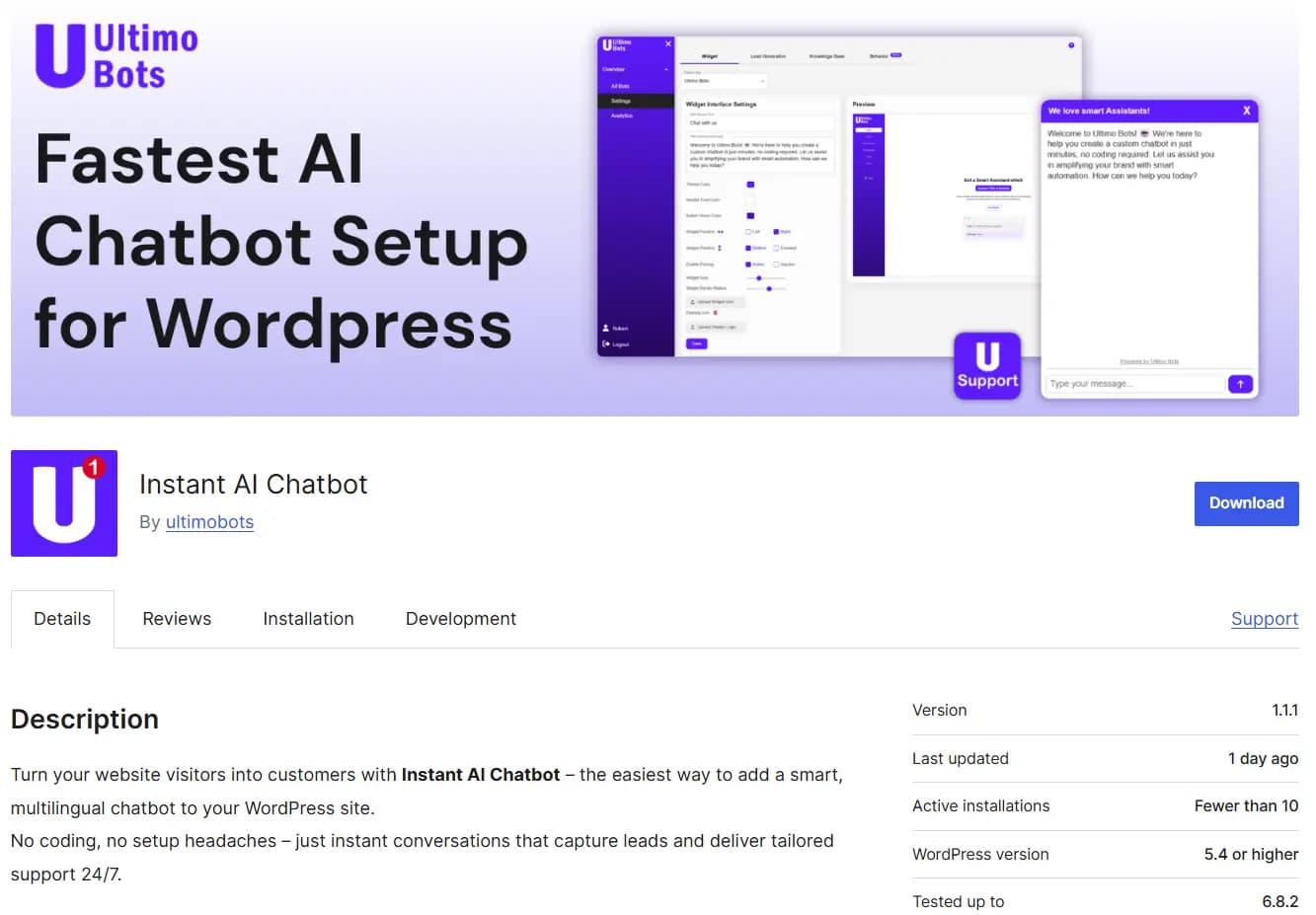
I spent an entire weekend testing wordpress chatbot plugins. Five of them, back to back, on a staging site I keep for exactly this kind of punishment. By Sunday evening, I had broken my theme twice, generated three API keys I'll never use again, and pasted JavaScript into places JavaScript should never go.
Then I found the one that actually worked. And I'm still a little annoyed it took me that long.
This isn't a comparison guide. I already wrote a complete wordpress chatbot guide that covers the full range of options side by side. This is the story of what happened when I stopped researching and started installing. If you're a WordPress site owner who just wants a chatbot that works without an engineering degree, keep reading. I wrote this for you.
Try Instant AI Chatbot on WordPress.org
I Tried 5 WordPress Chatbot Plugins So You Don't Have To
Let me set the scene. I run a WordPress site for a mid sized service business. Nothing unusual: a homepage, a few service pages, an FAQ section, a blog, and a contact form that maybe 3% of visitors actually fill out. I needed a wordpress chatbot to handle the repetitive questions my team was drowning in. "What do you charge?" "Do you work with clients in my country?" "How do I get started?" The same ten questions, every single day.
So I did what any reasonable person does. I went to the WordPress Plugin Directory and started searching for "chatbot." The results were overwhelming. Hundreds of options. Some free, some premium, some that looked like they hadn't been updated since 2022. I narrowed it down to five that seemed legitimate based on reviews and download numbers, and I committed to testing each one properly.
What followed was genuinely one of the most frustrating weekends I've had in a long time.
The Ones That Made Me Want to Quit
The first plugin I tried required me to create an account on an external platform before I could do anything. Fine. I signed up, confirmed my email, logged in, and was immediately hit with a dashboard that had more settings than my car. I spent 45 minutes configuring the basics: greeting message, response behavior, visual appearance. Then it asked me for an OpenAI API key. I had to go to OpenAI's website, create a developer account, set up billing, generate a key, copy it back. That's a lot of steps before a single visitor has even seen the chatbot.
The second plugin was worse. It wanted me to paste a JavaScript snippet into my theme's header.php file. I've done this before. I know the risks. One wrong character and your entire site goes white. I did it carefully, saved, refreshed, and the chatbot appeared. Sort of. It was a tiny, barely visible icon that clashed with my site's design, and clicking it opened a window that looked like it belonged to a completely different website. I spent another hour trying to customize the appearance through their external dashboard. The fonts never matched. I gave up.
Number three was a chatbot plugin wordpress that advertised "no code setup." Technically true, in the sense that I didn't write code. But I did have to manually create conversation flows using a drag and drop builder that felt like assembling IKEA furniture without the instructions. For a rule based bot, this might be acceptable. But I wanted an AI chatbot for WordPress that could actually understand questions, not just follow a script I spent three hours building.
Plugin number four was powerful but priced like enterprise software. The free tier was basically a demo. Anything useful, like actually connecting it to my website's content, required their premium plan.
By this point I was genuinely considering just hiring another support person and forgetting about chatbots entirely.
The One That Actually Worked in 2 Minutes
Then I found Ultimo Bots. Listed as "Instant AI Chatbot" in the WordPress Plugin Directory. I installed it the same way I install any wordpress chatbot plugin: Plugins, Add New, search, Install Now, Activate.
What happened next is the part I keep bringing up in conversations, because nobody believes me until they try it themselves. There was no signup form. No API key prompt. No JavaScript to paste. No external platform to configure. The plugin activated, auto registered my site, and started crawling my content. I sat there watching it pull in my pages, my blog posts, my FAQ section. Within two minutes, I had a fully functional wordpress ai chatbot sitting on my site, answering questions accurately, in a widget that actually looked like it belonged there.
I tested it immediately. I asked it a specific question about one of my service packages, something buried in the middle of a long page. It answered correctly. I asked a follow up. Also correct. I asked something slightly outside what my site covers. It politely told the visitor it didn't have that information and offered to connect them with my team.
I refreshed the page. I checked on mobile. I tested it in incognito mode. Everything worked. No broken themes. No mystery JavaScript. No API keys expiring at 2 AM. Just a wordpress chatbot that did exactly what I needed it to do, from minute one.
What Makes a WordPress Chatbot Plugin Worth Installing
After testing five plugins and only keeping one, I have some opinions about what actually matters. Not what marketing pages say matters. What actually matters when you're the person installing and maintaining this thing on a real website with real visitors.
Zero Code Setup From the WordPress Plugin Directory
This is the single most important factor, and I will die on this hill. If a chatbot plugin for WordPress requires me to leave my WordPress dashboard to get it working, it has already failed. I don't want to create accounts on external platforms. I don't want to generate API keys from third party services. I definitely don't want to edit theme files.
Ultimo Bots gets this right in a way that no other wordpress chatbot plugin I tested does. You install it from the WordPress Plugin Directory, the same place you get every other plugin. You click Activate. It auto registers your site and begins crawling your content. That's the entire setup process. Zero code. Zero external accounts. Zero JavaScript snippets.
If you've ever nervously pasted code into a header.php file and held your breath while clicking Save, you already know why this matters. The best chatbot for wordpress is the one that doesn't make you risk breaking your site to install it.
Auto Crawling That Actually Understands Your Content
Most wordpress chatbot plugins that offer AI features require you to manually upload documents, copy paste your FAQ into their system, or point the bot at specific pages one by one. That's not AI. That's a glorified search bar with extra steps.
Ultimo Bots crawls your entire website automatically. Every page, every blog post, every FAQ answer. It reads your content the way a new employee would read your company handbook on their first day. Except it does it in about two minutes and retains everything perfectly.
The crawling is what makes it an actual wordpress ai chatbot instead of a scripted response machine. When visitors ask questions, the bot pulls from your actual content to formulate answers. It doesn't guess. It doesn't hallucinate random information. It gives answers grounded in what your website actually says.
And here's the part that really sold me: when your content changes, the bot picks up the changes. Update a pricing page? The chatbot knows. Add a new service? The chatbot knows. You don't have to manually retrain anything. For more details on how this works with WordPress specifically, check out the wordpress chatbot integration guide.
Daily Updates That Keep Your Chatbot Sharp
This is something most people don't think about until it bites them. AI moves fast. Models improve. Bugs get fixed. Security patches need to roll out. If your wordpress chatbot plugin gets updated once a quarter, you're running on stale technology for months at a time.
Ultimo Bots pushes updates almost daily. I'm not exaggerating. When I check my WordPress dashboard, there's frequently a new version waiting. Sometimes it's a performance improvement. Sometimes it's a new feature. Sometimes it's compatibility updates for the latest WordPress release. The point is, the team behind this plugin is actively developing it at a pace that makes most competitors look like they're asleep.
In the AI chatbot space, being on the latest technology isn't a luxury. It's a necessity. Models get better. Responses get more accurate. New capabilities emerge. If your easy wordpress chatbot plugin isn't keeping up, your visitors are getting a worse experience than they could be, and you probably don't even know it.
Install Ultimo Bots Free on WordPress
How to Install Ultimo Bots on WordPress in Under 2 Minutes
I know I said this earlier, but let me walk through it step by step because the simplicity is genuinely the selling point. If you can install any WordPress plugin, you can add chatbot to wordpress with Ultimo Bots. Here's exactly how.
Step 1: Log into your WordPress admin dashboard. Navigate to Plugins and then Add New.
Step 2: Search for "Instant AI Chatbot" by Ultimo Bots. You'll find it in the official WordPress Plugin Directory, which means it's been reviewed and approved by the WordPress team. Click Install Now.
Step 3: Click Activate. This is the moment where other plugins would start asking for API keys, JavaScript snippets, or external account credentials. Ultimo Bots does none of that. It auto registers your site and starts crawling your content immediately.
Step 4: Open the plugin settings from your dashboard. Customize your chatbot's greeting message, tone of voice, and visual appearance. Colors, fonts, border radius, logo upload. Everything updates in real time so you can see the result before going live.
Step 5: That's it. Seriously. Your wordpress chatbot widget is live. Visitors can start asking questions and getting accurate, AI generated answers based on your actual website content. No API keys to manage. No external dashboards. No code.
The whole process takes less than two minutes. I timed it. Twice. Because the first time I didn't believe it and thought I must have missed a step.
Real Customers Who Switched and Never Looked Back
I could sit here all day telling you why I think Ultimo Bots is the best chatbot for WordPress. But my opinion is just one data point. What convinced me even more than my own experience were the reviews from other business owners who had clearly been through the same frustrating plugin journey I went through.
Two reviews in particular stopped me in my tracks. Not because they were glowing (although they are). But because they described exactly the problems I'd experienced and exactly the results I'd seen.
The first is from Corthea, who runs what they describe as a complex product and service business. The kind of site where a generic FAQ bot would fall apart in thirty seconds.
"incredible tool & service - highly recommended. I rarely write a review but this solution deserves any promotion. We have quite a complex product and service structure. I 'trained' the bot with additional sales and behavioral material and it became our best sales agent in 15 minutes. Welcome to the future. I had a small feature improvement and reached out to the company. They got back to me personally on the same day - next day he wrote me to inform me that they've already launched the feature. Just wow - I full heartedly recommend trying the solution for any site."
Corthea (Plugin Review)
Read that again. "It became our best sales agent in 15 minutes." That's not a support tool. That's a revenue generator. And the bit about reaching out with a feature request and having it launched the next day? That's the kind of developer responsiveness that makes you feel like you're working with a partner, not just using a product.
This is what happens when a wordpress chatbot plugin is backed by a team that actually ships. Almost daily updates aren't just a talking point. They're the reason a user can request a feature and see it live within 24 hours.
The second review comes from Alive Luxury Retreats, a business operating in the retreat and mental health space. This is an industry where visitors arrive overwhelmed, confused, and often emotionally vulnerable. Getting them the right information quickly isn't just good business. It's the right thing to do.
"I AM OBSESSED WITH THIS APP!!!! It is insanely good. Takes less than a few minutes. Scoured the website, documents, FAQ's and blogs and is like the best sales manager I have ever had. Didn't even need to barely train it. We are in a complex retreat/mental health industry. Our clients are overwhelmed. It gives them all the info fast and gets them to connect with us fast which before was a huge breakdown. Like all AI it's only as good as the info you give it and we have a tonne of info AI ready to read on our site/seo so I guess that helps. I love it !!!!!!!!!!"
Alive Luxury Retreats (Plugin Review)
Two things jump out here. First: "Didn't even need to barely train it." That auto crawling feature I mentioned earlier? This is what it looks like in practice. The wordpress chatbot reads the entire website, absorbs the content, and starts performing immediately. No manual training. No uploading documents one at a time.
Second: "It gives them all the info fast and gets them to connect with us fast which before was a huge breakdown." That word, "breakdown," tells you everything. Before the chatbot, potential clients were getting lost. They had questions, couldn't find answers fast enough, and left. The wordpress customer support chatbot fixed that by being the instant, knowledgeable first point of contact these visitors needed.
These are real businesses in complex industries. Not simple blogs with five pages. Businesses with nuanced products, sensitive audiences, and real revenue on the line. And they're calling this chatbot their best sales agent.
WordPress Chatbot Comparison: Complexity vs. Simplicity
After my weekend of testing, I put together a quick comparison of what the install chatbot wordpress process actually looks like. Not features. Not pricing. Just the stuff that determines whether you'll actually get the thing running or give up halfway through.
| Factor | Ultimo Bots | Typical Chatbot Plugins |
|---|---|---|
| Installation Source | WordPress Plugin Directory | External downloads or Plugin Directory |
| API Keys Required | None | Usually OpenAI, Dialogflow, or proprietary |
| JavaScript Pasting | None | Often required in header or footer |
| External Account | Not needed | Almost always required |
| Content Training | Automatic crawl of entire site | Manual upload or conversation builder |
| Time to First Working Chatbot | Under 2 minutes | 30 minutes to several hours |
| Update Frequency | Almost daily | Monthly or quarterly |
| Theme File Editing | Never | Sometimes required |
Most wordpress chatbot plugins treat setup as something you should be willing to spend time on. Ultimo Bots treats setup as something that should already be done by the time you finish your coffee.
For a deeper feature by feature breakdown across the top plugins, see the complete wordpress chatbot guide.
What 5 Star Reviews and Growing Traction Tell You
I pay attention to reviews. Not just the star ratings, but the patterns. When a wordpress chatbot plugin has consistent 5 star reviews, that tells you something. When those reviews come from business owners in complex industries like luxury retreats, professional services, and multi product companies, that tells you even more.
Ultimo Bots is the best rated WordPress chatbot plugin with the most user traction in its category. That's not a claim I'm making lightly. Go look at the reviews on WordPress.org. Read what people are saying. The themes are remarkably consistent: fast setup, accurate responses, excellent support, and a product that keeps getting better.
The "keeps getting better" part matters more than most people realize. A lot of plugins launch strong and then stagnate. The developers move on to other projects. Updates slow to a trickle. Bugs linger. New WordPress versions introduce compatibility issues that never get fixed.
Ultimo Bots is the opposite of that. With almost daily updates, users are always running the latest technology. When AI models improve, the plugin improves. When WordPress releases a new version, compatibility updates ship quickly. When a user requests a feature, it sometimes shows up the next day. That's not typical in the wordpress chatbot plugin space. That's exceptional.
Frequently Asked Questions About WordPress Chatbot Plugins
Do I need coding skills to add a chatbot to WordPress?
Not with Ultimo Bots. The entire wordpress chatbot setup happens inside your WordPress dashboard. Install, activate, customize. No code, no JavaScript, no theme file editing. If you've ever installed a WordPress plugin before, you already have all the skills you need.
How much does a wordpress chatbot plugin cost?
Ultimo Bots offers a free tier that lets you test the full experience. Many other plugins also have free versions, but they tend to be heavily restricted. The key difference is that Ultimo Bots gives you a genuinely functional chatbot at no initial cost, with premium features available when you're ready to scale.
Will a chatbot slow down my WordPress site?
This is a legitimate concern, and I tested for it specifically. Ultimo Bots loads asynchronously, meaning it doesn't block your page from rendering. My site's Core Web Vitals stayed clean after installation. Not all wordpress chatbot plugins can say the same.
Can a wordpress chatbot handle multiple languages?
Yes. Ultimo Bots supports multilingual conversations automatically. It detects the visitor's language and responds accordingly. You don't need to configure separate bots for each language or manually translate anything.
What happens when the chatbot can't answer a question?
Good chatbots know their limits. Ultimo Bots recognizes when it doesn't have enough information to give an accurate answer. Instead of making something up, it offers to connect the visitor with a human on your team. This wordpress customer support chatbot approach keeps the experience trustworthy.
Is the chatbot data GDPR compliant?
Yes. Ultimo Bots is built with European data standards in mind. Conversation data is handled with appropriate privacy safeguards, and the plugin is designed to comply with GDPR requirements.
How is Ultimo Bots different from other chatbot plugins for WordPress?
Three things set it apart. First, the wordpress chatbot no code setup is the fastest of any AI chatbot. Install from the Plugin Directory, activate, done. No API keys, no external accounts, no code. Second, it auto crawls your entire site, so the chatbot understands your content without manual training. Third, the team ships updates almost daily, which means you're always on the latest AI technology. Most simple chatbot for wordpress options can't match any one of these, let alone all three.
The Bottom Line
I burned a weekend testing wordpress chatbot plugins I didn't need to test. If I'd found Ultimo Bots first, the whole process would have taken two minutes instead of two days.
Here's what I know after installing five different options on the same staging site. Most chatbot plugins for WordPress make the setup process harder than it needs to be. They require API keys from third party platforms. They ask you to paste JavaScript into your theme files. They demand external accounts and complex configuration. And after all that work, you end up with a chatbot that still needs manual training before it can answer a single question.
Ultimo Bots skips all of that. You install it from the WordPress Plugin Directory. You activate it. It crawls your site, learns your content, and starts answering visitor questions accurately. The wordpress chatbot widget looks professional out of the box. The AI understands your content from day one. And the team behind it ships updates almost daily, which means your chatbot keeps getting smarter while you focus on running your business.
The consistent 5 star reviews, the growing user base, and the relentless update pace all point to the same conclusion. This is the wordpress chatbot plugin that treats your time like it matters.
Stop configuring. Start converting.